“What never leaves your iPhone?” sounds like a yes-or-no question. For a wallet, it is more useful to ask it in layers. A recovery phrase is not the same kind of data as a public address. A signed transaction is not the same thing as a private key. An optional encrypted backup is not the same thing as an automatic secret upload.
Aperture’s self-custody model draws the line around spending authority: the recovery phrase, private key, BIP-39 passphrase material, and credentials that protect access to the app. In normal use, Aperture keeps that authority on the iPhone. Public blockchain data still has to cross a network so the wallet can show balances, find activity, estimate fees, and broadcast a transaction you have signed.
Self-custody is not “nothing leaves the phone.” It is “nothing required to authorize spending leaves your control.”
The boundary in one screen
The wallet home is a view over two very different systems. The accounts, balances, prices, and activity are public or derived data that Aperture can refresh from mainnet providers. The keys that can move those assets are private material held locally. The interface puts both together without making them the same thing.
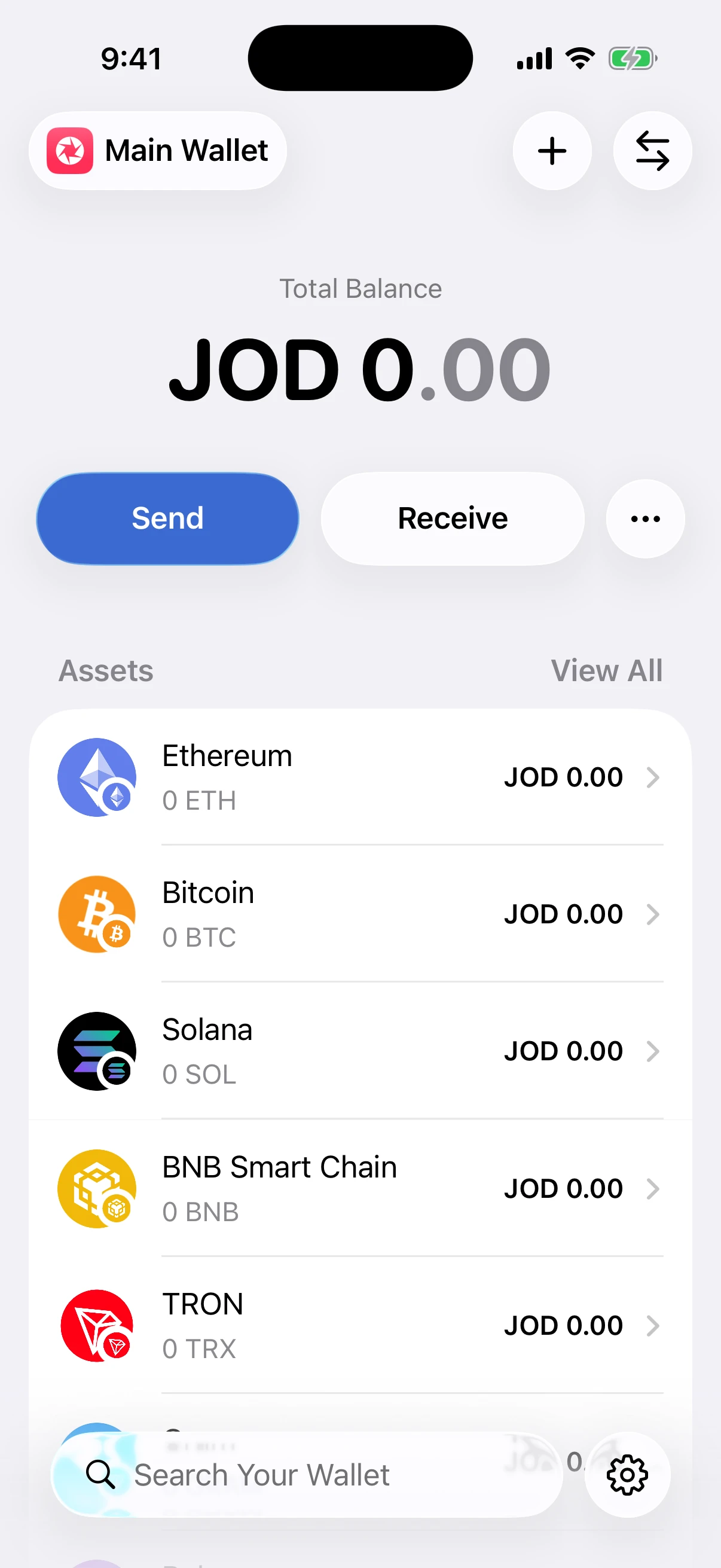
Real Aperture 2.40.12 Simulator output. This article-only wallet is empty. No recovery phrase, private key, passcode, signing material, or funded address appears anywhere in this guide.
Three classes of wallet data
A precise security model starts by classifying the data instead of treating the entire app as one sealed box.
Spending authority. Recovery phrases, imported private keys, passphrase-bearing wallet material, and derived signing keys can authorize transactions. Aperture stores persistent wallet secrets in the iOS Keychain and loads them only for a local operation that needs them.
Local working data. Wallet names, enabled networks, public account addresses, cached balances, activity records, contacts, preferences, and backup status live in Aperture’s local wallet database. The database stores opaque Keychain references—not plaintext recovery phrases or private keys.
Public network data. Addresses, token contracts, transaction hashes, block data, prices, fee estimates, and signed transaction bytes are not wallet secrets. Aperture sends the minimum request needed to blockchain, indexer, price, and broadcast providers for the feature you use.
This separation matters after a database copy, diagnostic export, or ordinary network observation. A public address can reveal on-chain history, but it cannot create a signature. A Keychain reference can point Aperture to a secret on the same device, but it is not the secret itself.
The secret vault is Keychain—not the wallet database
For self-custody wallets, Aperture writes recovery phrases and private keys to a stable, app-scoped iOS Keychain service. The items are marked non-synchronizing and use the device-only “accessible when unlocked” protection class. In practical terms, these entries are available to Aperture after the iPhone is unlocked, do not join ordinary Keychain synchronization, and are not designed to migrate to another device through a device backup.
Aperture verifies each Keychain write by reading it back before treating persistence as successful. The wallet database keeps the opaque reference plus public account records. If a wallet is removed, Aperture uses a cleanup journal and verifies the corresponding secret item is gone rather than assuming a delete call succeeded.
There is an important wording distinction: Aperture does not claim that every wallet secret is a Secure Enclave private key. The implementation boundary is the app’s device-only iOS Keychain namespace. That is the concrete promise the code can verify.
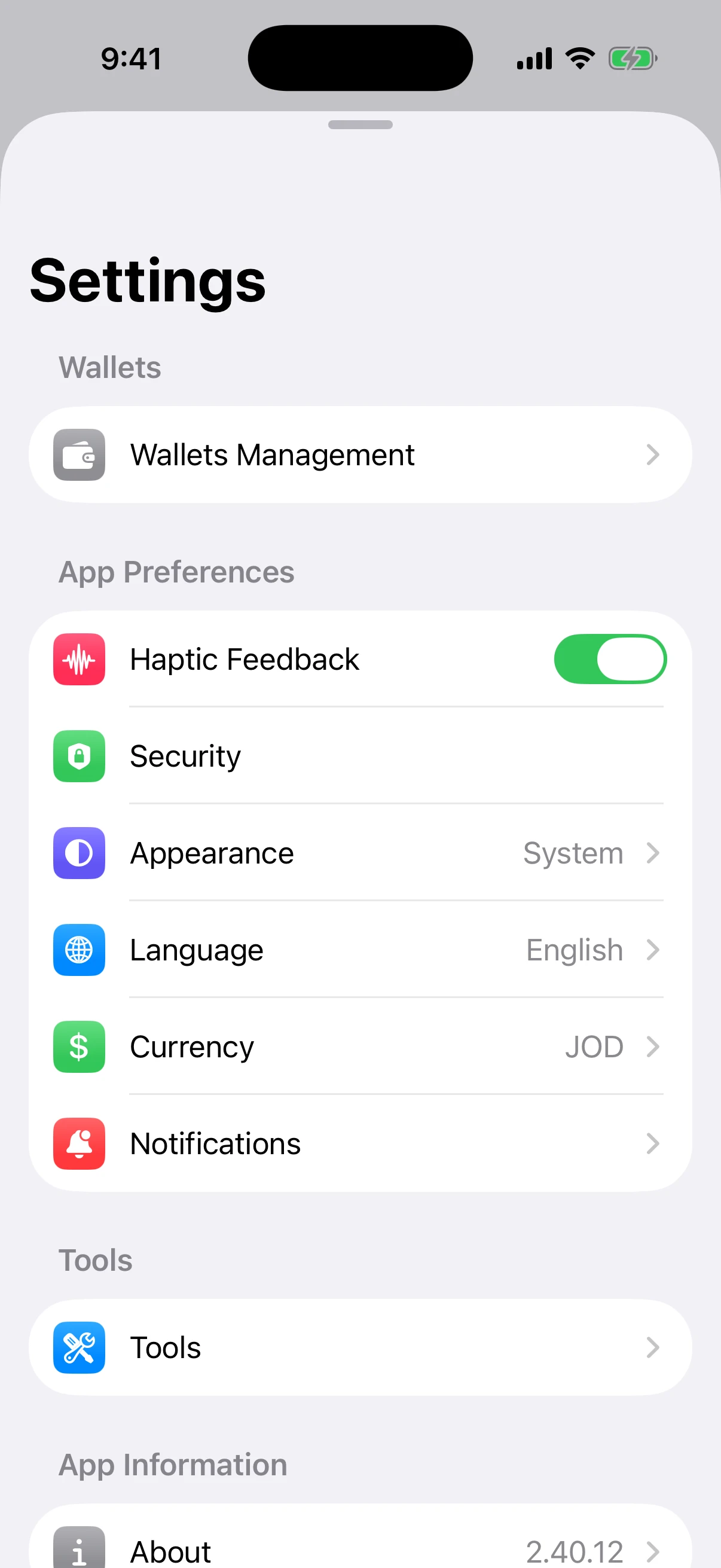
Real Settings screen. Wallet storage, app-access controls, and backup choices have separate destinations because they protect different boundaries.
App Lock protects access; it does not replace the wallet key
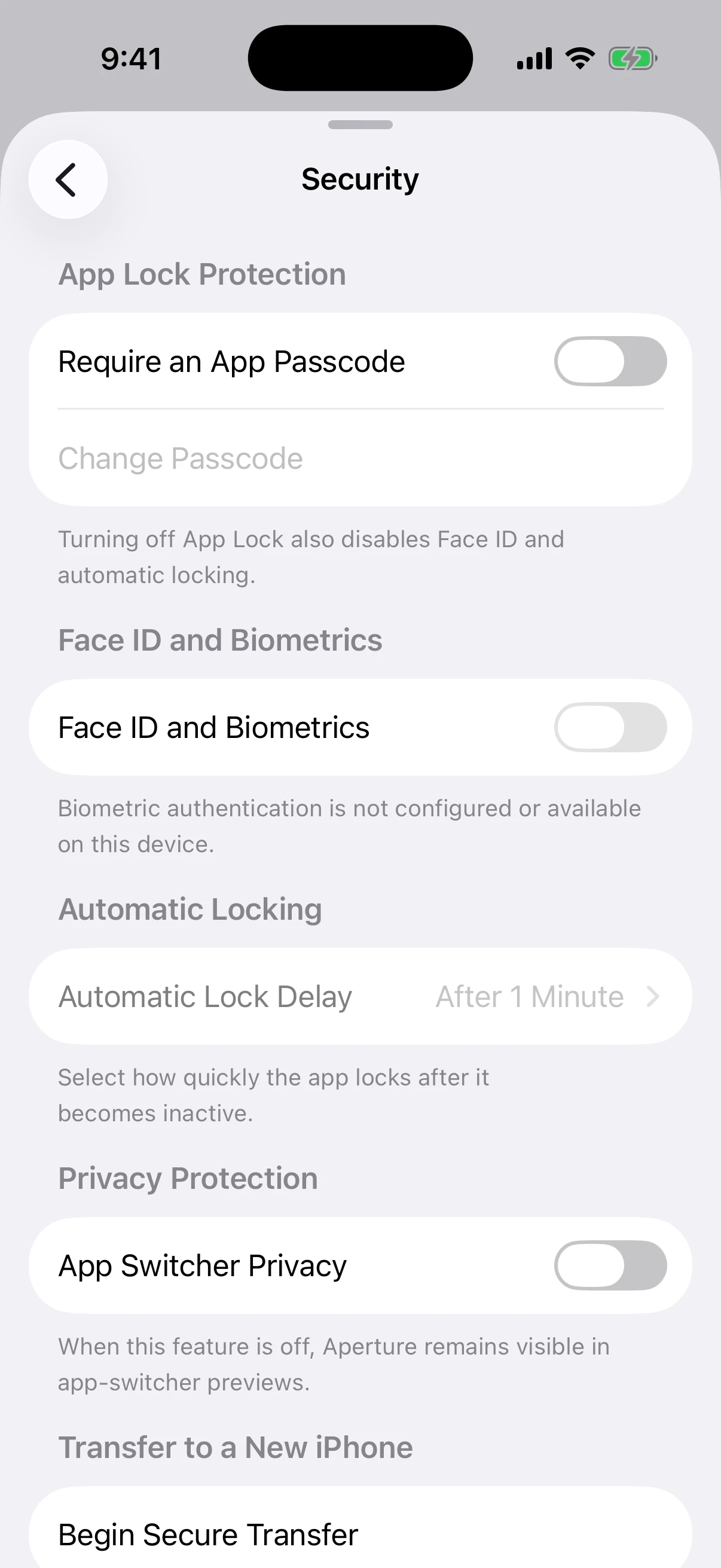
Real Security settings from the empty article-only wallet. App Lock and biometrics were intentionally left unconfigured; the screen documents the available layers without changing the wallet.
Aperture’s App Lock is a local gate in front of the wallet interface and sensitive actions. A six-digit app passcode is never stored as readable text. Aperture derives a verifier with PBKDF2-HMAC-SHA256, 210,000 iterations, and a fresh 32-byte random salt, then keeps that verifier in the same device-only Keychain vault. The database stores only its reference and lockout state.
Face ID can be enabled after App Lock and is evaluated by iOS. Automatic Lock controls how soon Aperture requires authentication after becoming inactive. These features reduce casual or opportunistic access if someone has an unlocked iPhone; they do not change the recovery phrase or the blockchain keys derived from it.
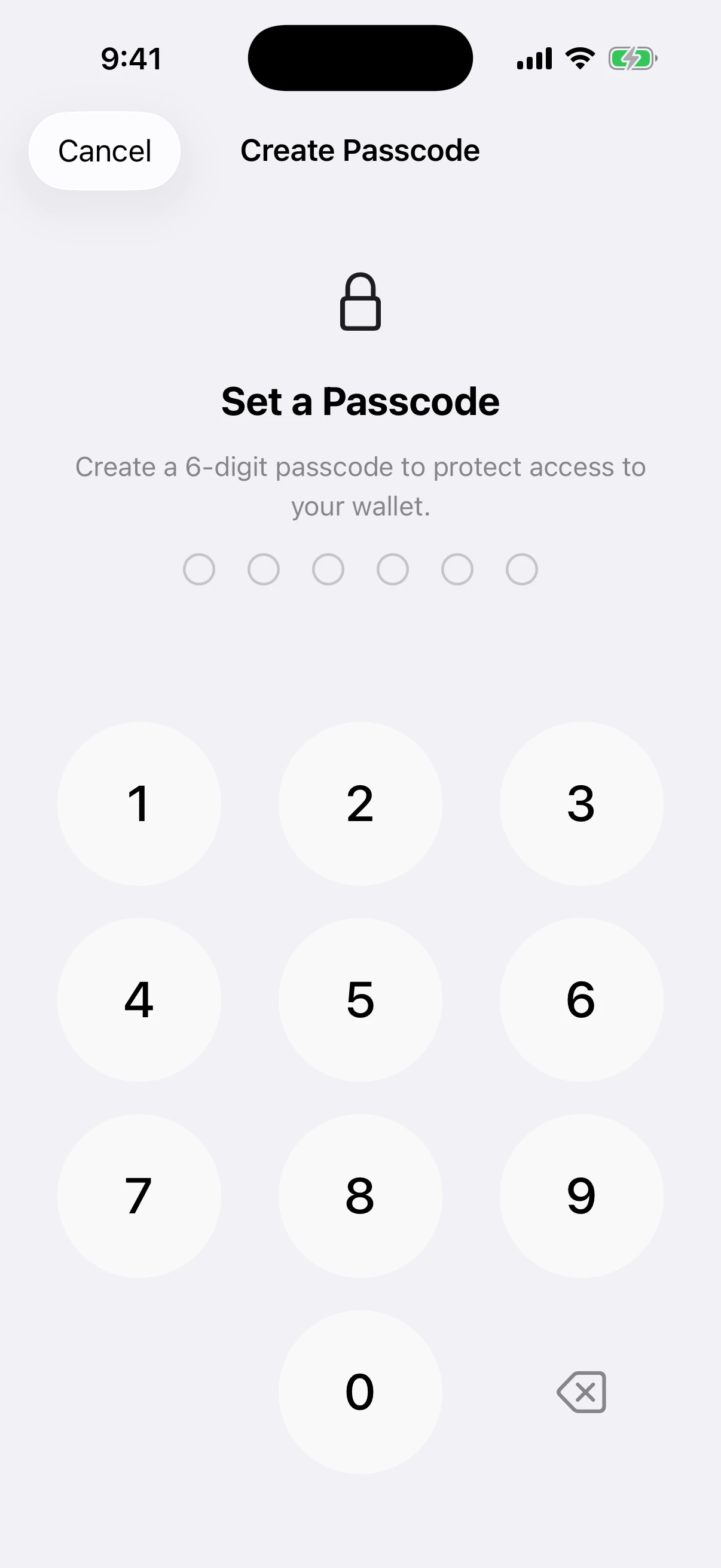
Real App Lock setup before any digit was entered. The screen was cancelled after capture, so the article Simulator retained its original configuration.
Privacy around the wallet matters too
Security is not only key storage. A wallet preview can expose balances to someone looking over your shoulder or glancing at the iOS app switcher. Aperture’s App Switcher Privacy setting replaces the balance and amount fields in the background preview with neutral placeholders while leaving the app’s structure recognizable.
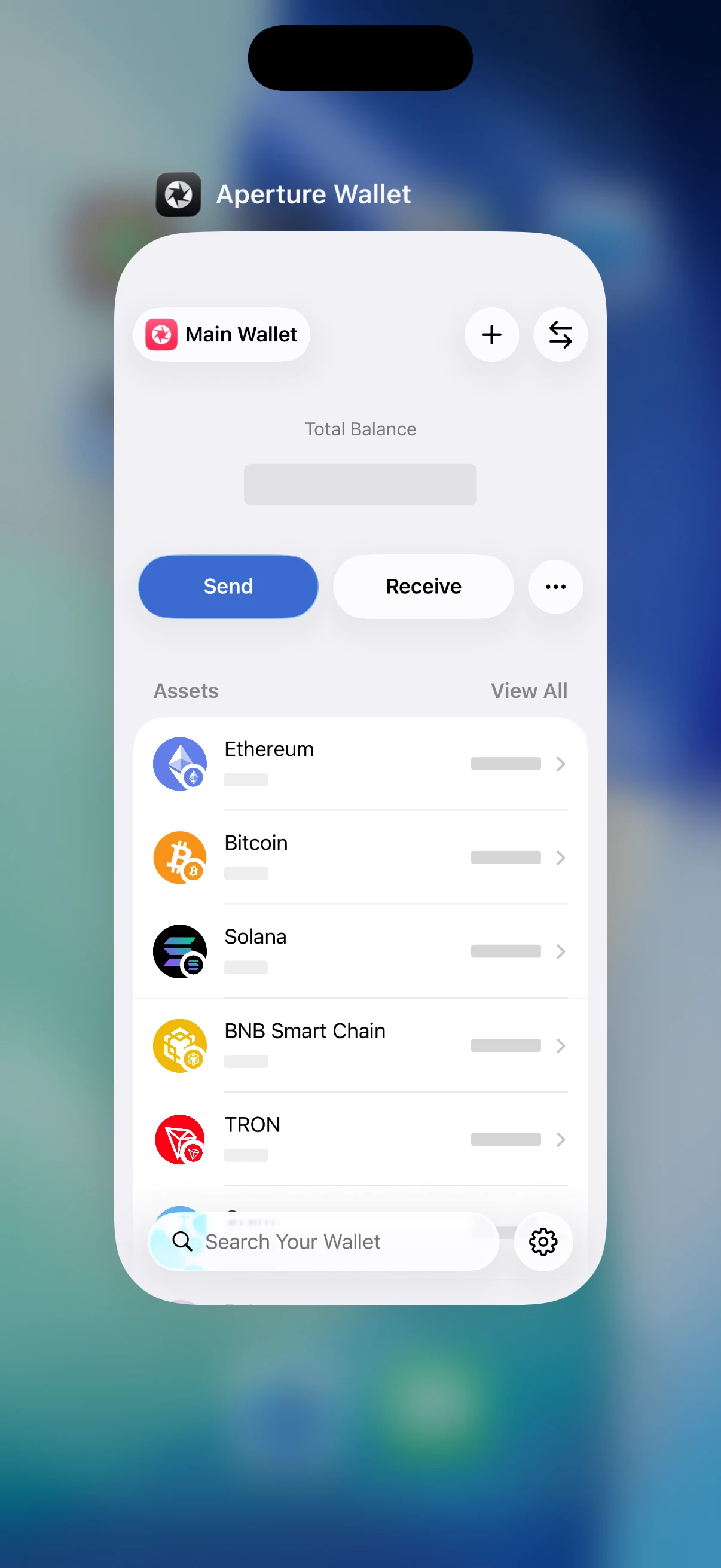
Real iOS Simulator app-switcher capture. The preference was enabled only for this verification, then returned to its original off state. No blur was added to the screenshot.
This is a visual privacy control, not cryptographic protection. It does not hide public addresses from a blockchain provider, encrypt screenshots you deliberately take, or stop another app from reading information you explicitly copy to the clipboard.
What does leave the iPhone during normal use
Aperture is a networked wallet. It cannot discover mainnet state without asking a node, indexer, or API about public accounts. Depending on the chain and feature, a request may include a public wallet address, script hash, transaction hash, token contract, chain identifier, requested page, or signed transaction payload. Price requests may include asset identifiers and quote currency.
Balance and activity queries. A public address or derived public query key is sent to a provider so Aperture can find balances, transfers, and confirmation state. A provider can ordinarily observe the request’s IP address, timing, and queried identifiers.
Fee and simulation requests. The draft’s public transaction fields may be sent to a network provider to estimate gas, fees, or execution. The private signing key is not part of that request.
Broadcast. After local review and authorization, Aperture signs on the device and sends the resulting signed transaction bytes to the selected mainnet provider. A signed transaction is meant to become public; the private key used to create its signature is not included.
Token and price metadata. Asset identifiers and market-data requests can leave the device so the interface can label assets and calculate fiat values.
That means self-custody should never be confused with network anonymity. Public-chain providers and the chain itself can learn things from addresses and transaction patterns. If address privacy is the goal, use chain-specific techniques such as fresh Bitcoin receive addresses or Silent Payments; start with Why Bitcoin Wallets Generate Fresh Receiving Addresses and Silent Payments in Aperture.
Optional iCloud backup changes the location—not the custody
iCloud Backup is off until you turn it on for a wallet. When enabled, Aperture creates a unique Apple passkey for that wallet, obtains passkey-derived wrapping material through Apple’s authorization flow, generates a separate 256-bit backup data key, and encrypts the wallet payload locally with authenticated AES-GCM encryption. The data key is itself wrapped; Aperture does not put an unwrapped wallet secret into iCloud Drive.
The encrypted “.aperturewallet” document in iCloud Drive contains ciphertext plus the metadata required to list, bind, and validate the backup—for example the backup wallet name, identifier, format version, timestamps, passkey credential identifier and salt, wrapped data key, integrity digest, and whether the wallet reports passphrase protection. The recovery phrase or private key is inside the encrypted payload, not in that readable metadata.
Aperture writes the encrypted document, reads it back, decrypts it locally, and compares the restored payload before marking the backup verified. An explicit restore reauthorizes the Apple passkey, unwraps the data key, authenticates the ciphertext, and decrypts on the destination device. aperturex.io verifies only the app’s passkey association; it does not receive the wallet backup.
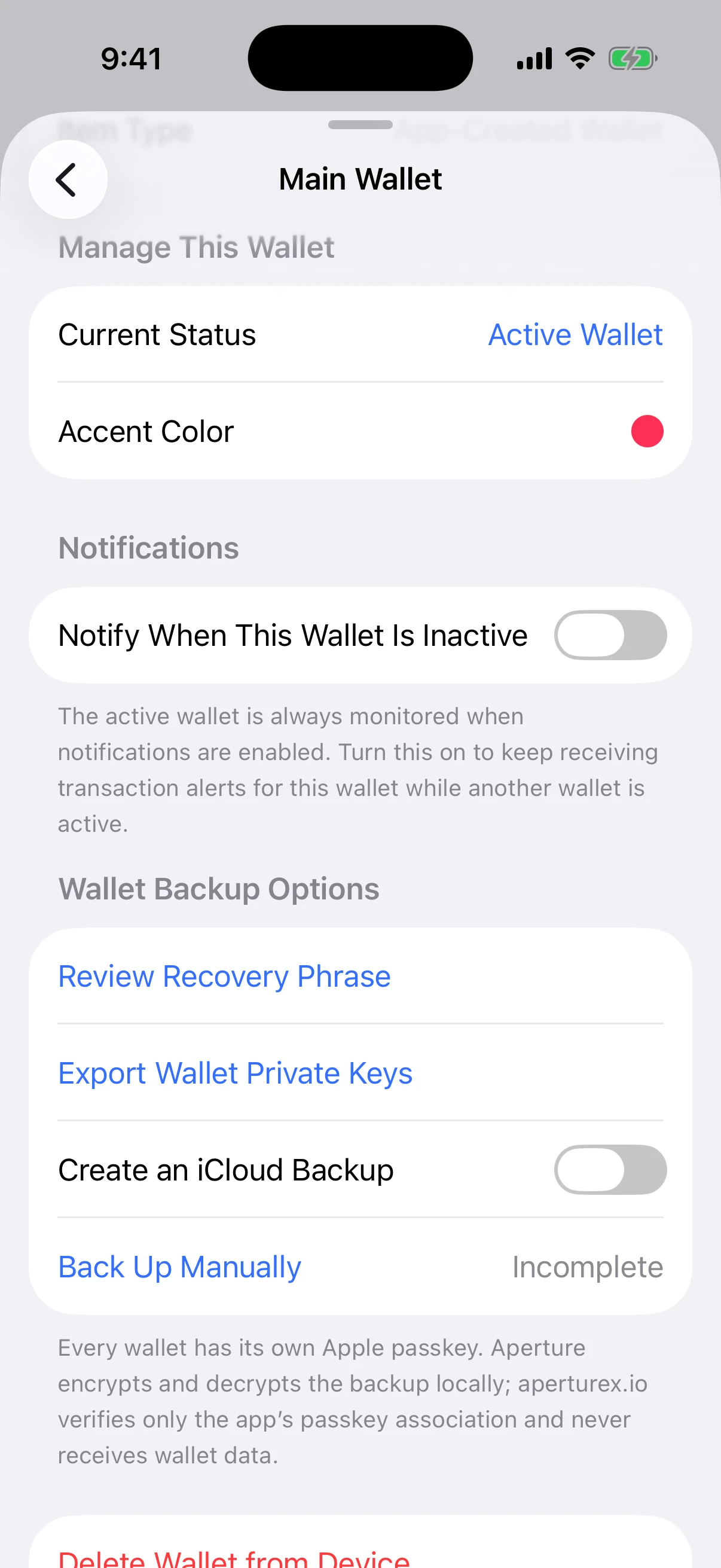
Real wallet-backup screen. The switch remained off; no iCloud backup was created for this article.
The tradeoff is deliberate: encrypted recovery availability moves from one device to your Apple Account’s iCloud Drive and synced passkey ecosystem. If you prefer a fully offline backup, use the manual recovery material instead. For the full restore model and failure cases, read Lose Your Phone, Not Your Wallet: Backup and Restore in Aperture.
Direct iPhone transfer is a private bridge
Moving to a new iPhone is another explicit exception to “local to this device.” It is not an upload. Aperture creates a short-lived invitation containing a random session identifier, an ephemeral public key, and an expiry. The receiving iPhone scans that QR code and the two devices find each other through Apple’s nearby-device transport.
Under the hood, the phones perform ephemeral P-256 key agreement, derive a 32-byte session key with HKDF-SHA256, authenticate the join request, and require encrypted Multipeer Connectivity. Aperture additionally seals the manifest, secret bundle, and completion messages with authenticated ChaChaPoly encryption bound to the session. The source sends a temporary database snapshot through the encrypted peer session, the destination verifies and imports it, and temporary transfer material is cleaned up.
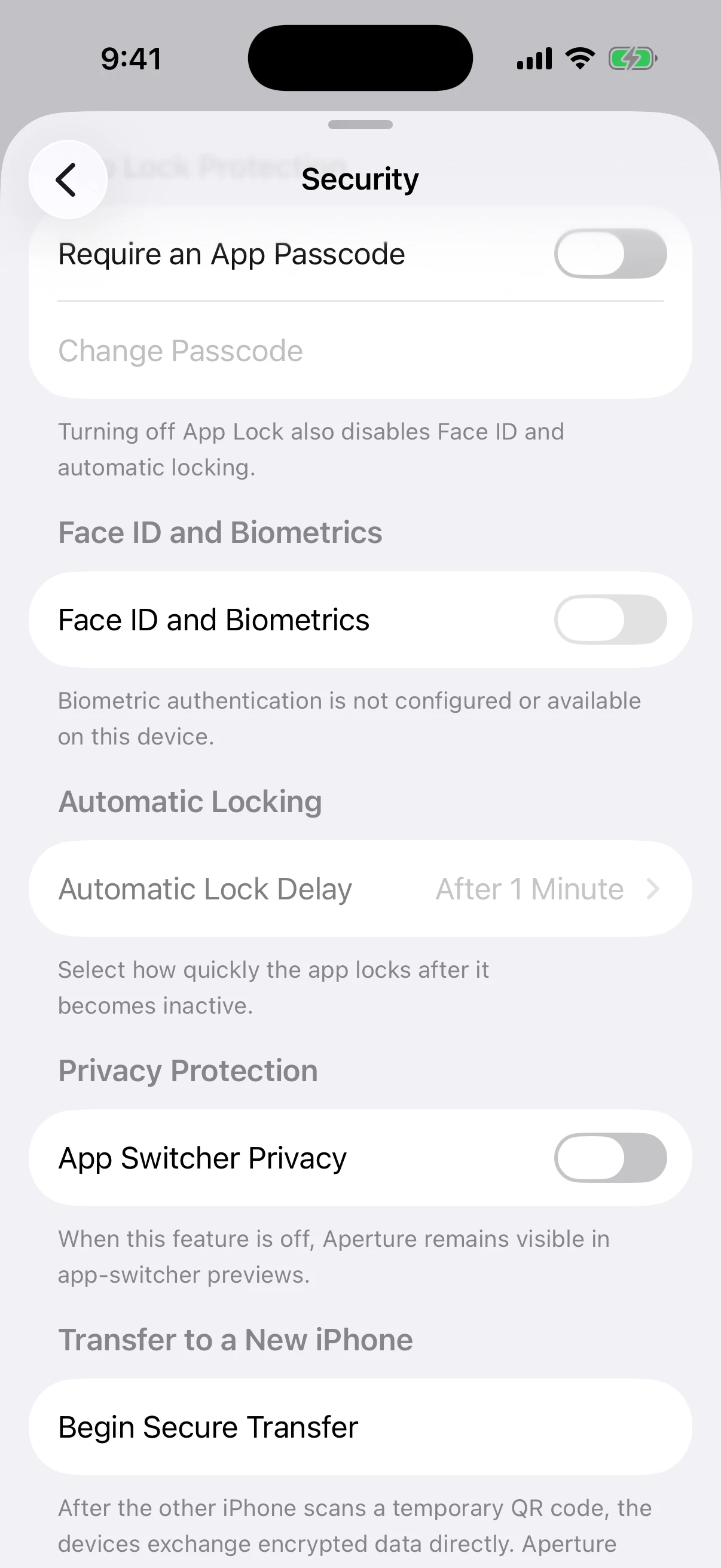
Real Security screen. No transfer session was started and no QR invitation was generated for this article.
The old iPhone keeps its wallet after a successful transfer; migration is not remote deletion. Verify the destination before retiring the source device. See Move Everything to a New iPhone—Directly, Encrypted, and Serverless for the complete two-device flow.
The deliberate exits: reveal, export, back up, transfer
A secure wallet must let its owner recover and move. That means there are intentional paths where protected material can leave persistent Keychain storage: viewing a recovery phrase, exporting private keys, creating an encrypted backup, and sending an encrypted device-migration package. These are not hidden background behaviors; they are separate user actions.
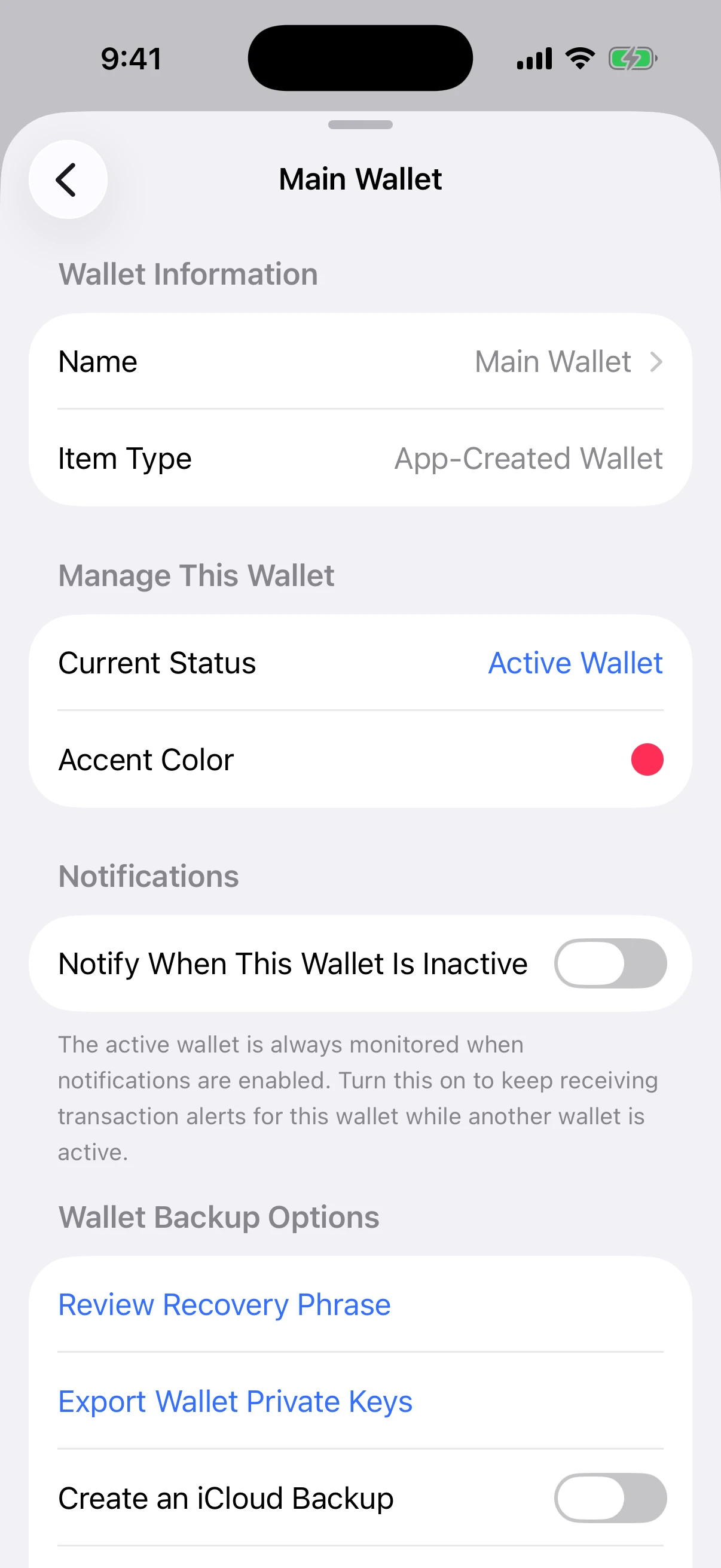
Real wallet controls. The recovery phrase and private-key destinations were not opened, and no secret was displayed or exported.
Once you reveal a phrase or private key, the environment matters. A camera, screen recording, compromised keyboard, untrusted clipboard manager, phishing site, or person nearby can defeat the app’s local storage protections. Aperture can require current app authentication before a sensitive export when App Lock is enabled; it cannot make a disclosed secret undisclosed again.
Aperture’s security model, layer by layer
Ownership layer. Your recovery phrase or private key controls the wallet. Aperture does not hold a recovery copy that customer support can return to you.
Storage layer. Persistent wallet secrets and passcode verifiers live in app-scoped, non-synchronizing, device-only Keychain items; the database keeps references and public state.
Access layer. App Lock, optional biometrics, automatic locking, and short-lived authorization grants guard the interface and sensitive actions.
Presentation layer. Balance hiding and App Switcher Privacy reduce visual disclosure around the phone.
Signing layer. Aperture builds and signs transactions locally, then sends only the signed result for broadcast.
Recovery layer. Manual recovery material stays under your physical control; optional iCloud backup is encrypted locally and requires its Apple passkey.
Migration layer. A one-time nearby transfer uses ephemeral key agreement and authenticated encryption without an Aperture transfer server.
Verification layer. Writes, backup reads, secret deletion, transfer receipts, and imported account identities are verified before Aperture declares success.
What the model does not promise
Good security documentation should say where the boundary ends. Aperture cannot:
recover a lost recovery phrase, private key, required BIP-39 passphrase, or unavailable encrypted backup for you;
reverse a valid transaction after it is accepted by a decentralized network;
hide public addresses and transaction history from the blockchain or every network provider;
protect a secret after you type it into a website, send it in a message, photograph it, or give it to another person;
guarantee safety on a fully compromised or jailbroken operating system; or
turn a weak device passcode, unattended unlocked phone, or unverified backup into a strong recovery plan.
Open source helps make these boundaries inspectable, not magical. You can review the project’s security approach and code links on the Aperture Open Source page.
A five-minute security setup
Protect the iPhone first. Use a strong device passcode, keep iOS current, and do not jailbreak the device that holds your wallet.
Enable Aperture App Lock. Choose a six-digit app passcode that is not a reused PIN, then enable Face ID if it fits your threat model.
Choose an automatic-lock delay. Shorter is safer on a frequently shared or high-risk device; balance that against your daily use.
Turn on App Switcher Privacy. It reduces accidental balance disclosure when switching apps.
Verify one recovery route. Confirm the manual phrase and required passphrase privately, or create and verify the optional encrypted iCloud backup. Do not assume “backup enabled” means “restore tested.”
Practice the boundary. Never enter a recovery phrase or private key into a link, support chat, form, airdrop page, or “wallet verification” prompt. Aperture support does not need it.
Questions worth asking
Does Aperture upload my recovery phrase during normal sync? No. Normal balance, activity, fee, and price refreshes use public identifiers. Persistent recovery material remains in the device-only Keychain unless you deliberately reveal, export, back up, or transfer it.
Can a blockchain provider see my wallet address? Yes. An address-based wallet must query public mainnet state somewhere. Providers can observe the identifiers and network metadata involved in those requests. That is a privacy consideration, not custody of the key.
Is the local wallet database secret? It contains sensitive personal context—addresses, balances, activity, contacts, and settings—but it does not hold plaintext recovery phrases or private keys. Protect the device and app even though spending authority is separated into Keychain.
Does Face ID encrypt the recovery phrase? No. Face ID is an access-control option for unlocking Aperture. Keychain protection and wallet cryptography are separate layers.
What exactly is stored in iCloud? An authenticated encrypted wallet payload plus the metadata needed to identify, validate, and restore that backup. The Apple passkey is required to recover the wrapping material, and decryption happens locally.
Does direct iPhone transfer touch Aperture servers? No. The transfer uses a temporary QR invitation and an encrypted nearby-device session. The two iPhones exchange the package directly.
Can Aperture recover my wallet if every copy is gone? No. That is the defining consequence of self-custody. Keep at least one verified recovery path outside the single iPhone you could lose.
The honest version of “never leaves”
The recovery phrase, private key, and app-access verifier are local by default because they can authorize or expose control. Public addresses, mainnet requests, signed transactions, and market data cross the network because a useful wallet must read and write public systems. Optional iCloud backup sends only a locally encrypted document to iCloud Drive. Direct transfer sends an encrypted package to the other iPhone, not to Aperture.
That boundary is more valuable than a slogan because you can act on it. Keep the device secure. Turn on the access and privacy controls you need. Verify a recovery method. Treat every reveal and export as a real exit. Then use the public network with a clear understanding of what it sees—and what it never receives.
Your public wallet can travel across the network. Your authority to spend should remain yours.