Receiving crypto can look like the easy half of self-custody. Open a QR code, send it to someone, and wait. But the blockchain does not understand the human story around a payment. It does not know which token name you meant, which network the sender selected, whether a pasted address was altered, or whether “100” meant 100 units of the asset or 100 units of local currency. It only executes the exact transaction it receives.
A safe receive request therefore has four independent facts: the asset, the network, the destination, and the amount. Aperture makes the first three visible together. The fourth remains something the sender must review and authorize. This guide explains each boundary using the production Receive flow—not a mockup—and shows what the QR code carries beneath the squares.
Choose the asset. Name the mainnet. Verify the address. Treat the amount as a request.
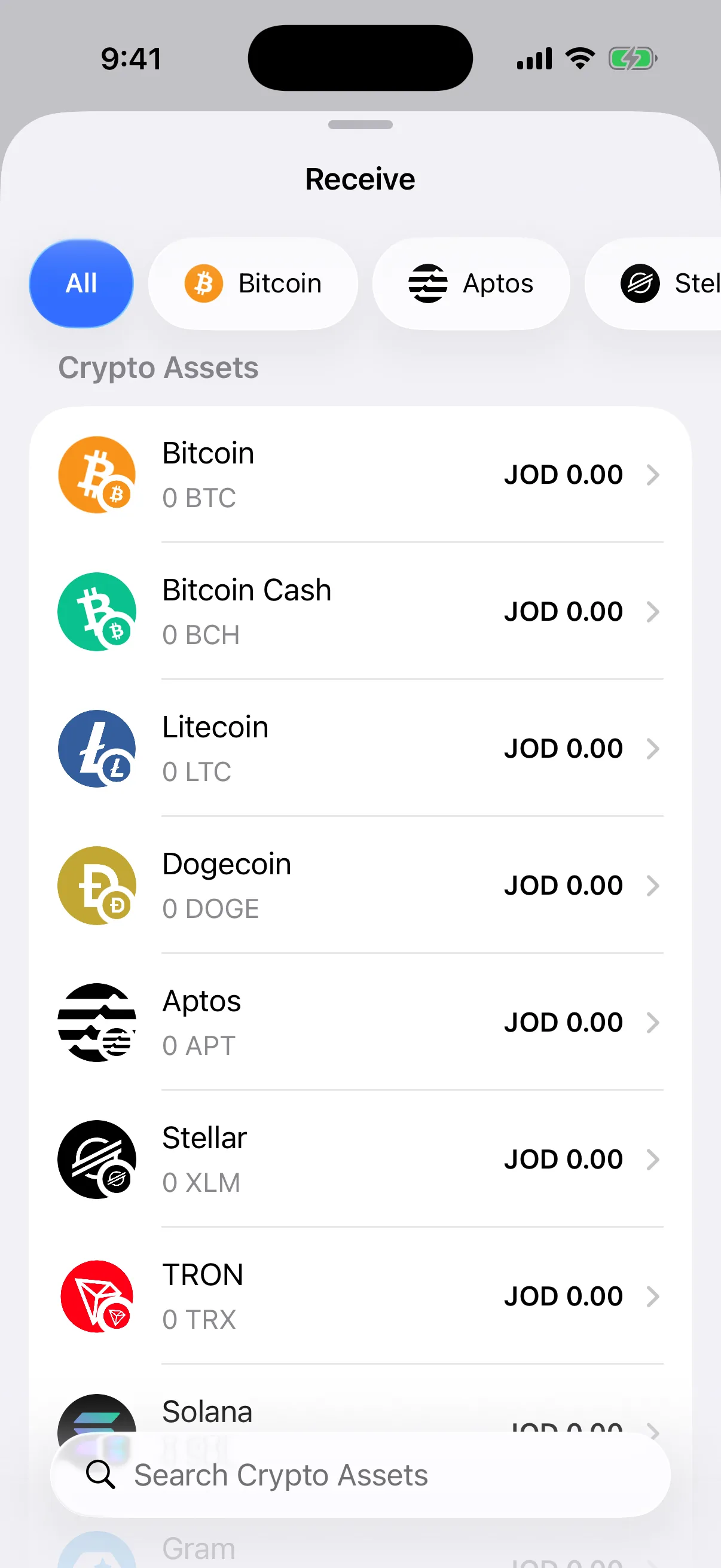
Fresh capture from Aperture 2.40.12 in the iOS Simulator. The article-only wallet is empty and every visible address is public test content for documentation—not a destination for deposits. Every app image below is a real Simulator capture; no funded wallet, recovery phrase, private key, signing, or broadcast was used.
Receiving is a four-field agreement
Before money moves, the receiver and sender should be able to say the same four things out loud:
Asset identity. ETH is not an ERC-20 token. USDC is not every token that happens to display “USDC.” A token’s network and contract or mint identity matter.
Blockchain network. Bitcoin, Linea, Ethereum, Base, Solana, and TRON are different ledgers. A familiar symbol does not make their deposit routes interchangeable.
Destination address. The complete public address—or the exact QR payload—must belong to the intended Aperture wallet on that network.
Requested amount. The amount is an instruction for the sender to review, not permission for a wallet to move funds automatically. Network fees are separate.
If any one of these facts is missing, stop before the sender confirms. A QR code reduces typing, but it does not replace judgment. A matching address does not repair a wrong network. A correct network does not turn a look-alike token into the intended asset.
Start with the asset—and keep the network visible
Tap Receive from Wallet Home. Aperture opens a native, searchable asset list with a network selector above it. You can narrow the catalog to a mainnet first or search by asset name or symbol. Rows preserve the asset’s identity and, when relevant, its network context instead of asking you to choose from a ticker-only list.
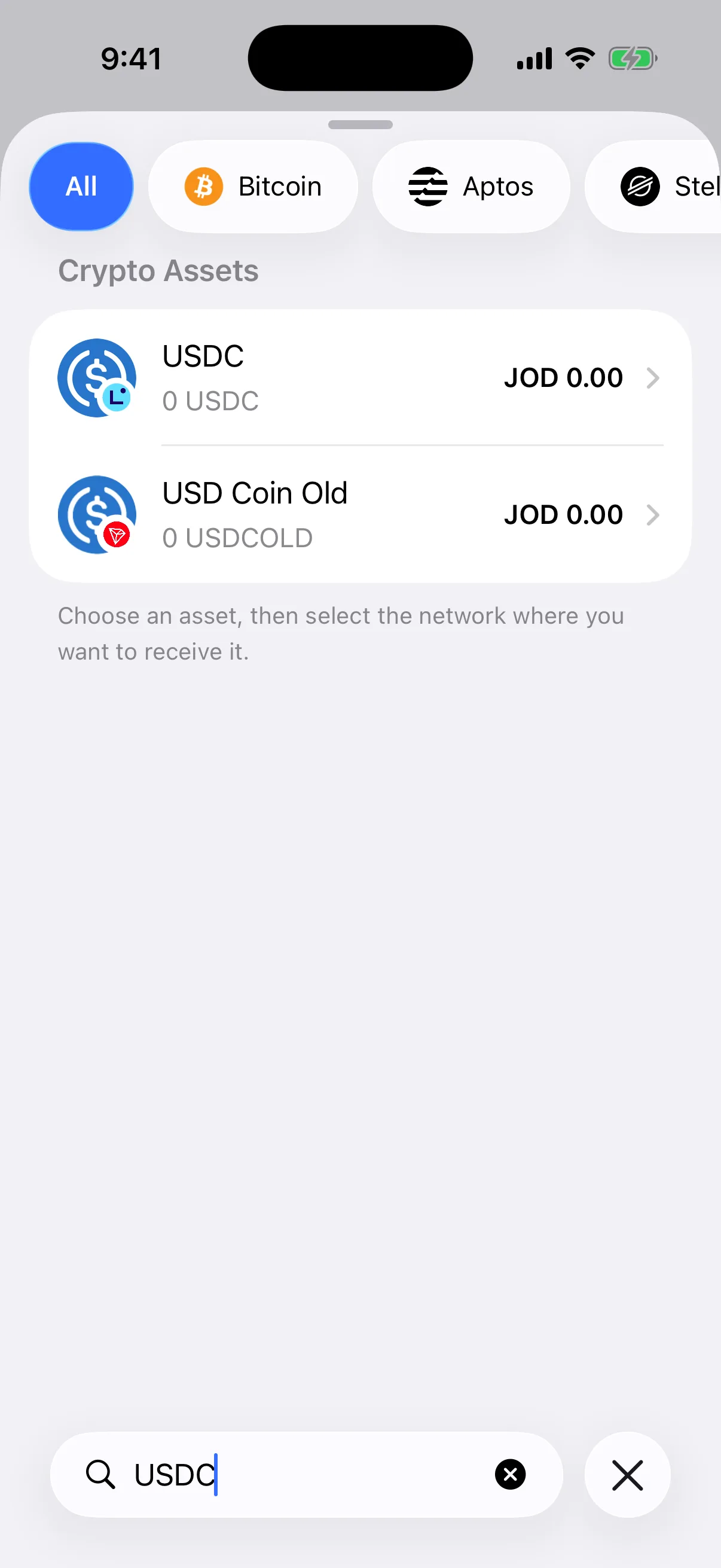
Real Simulator result for “USDC.” Search is useful, but a symbol is only the beginning of the identity check; the destination screen supplies the decisive mainnet label.
The safest order is simple: decide what asset should arrive, decide which mainnet the sender can use, then open that exact receive destination. If a centralized exchange calls the network by a shortened or branded name, match the underlying chain—not the cheapest fee and not the logo color. When the withdrawal screen and Aperture do not name the same mainnet, do not continue until the difference is resolved.
This is the same separation Aperture uses throughout the wallet. Read One Wallet, Many Mainnets: How Aperture Keeps Accounts and Networks Separate for the account model behind the labels.
The network badge is a safety boundary, not decoration
The receive card puts the network above the QR code and repeats it in the warning below the actions. In the real USDC example, Aperture says “On Linea Network” and then states that only USDC on Linea should be sent to the address. That repeated context is intentional: the symbol, network, QR, address, and warning can be reviewed in one screen.
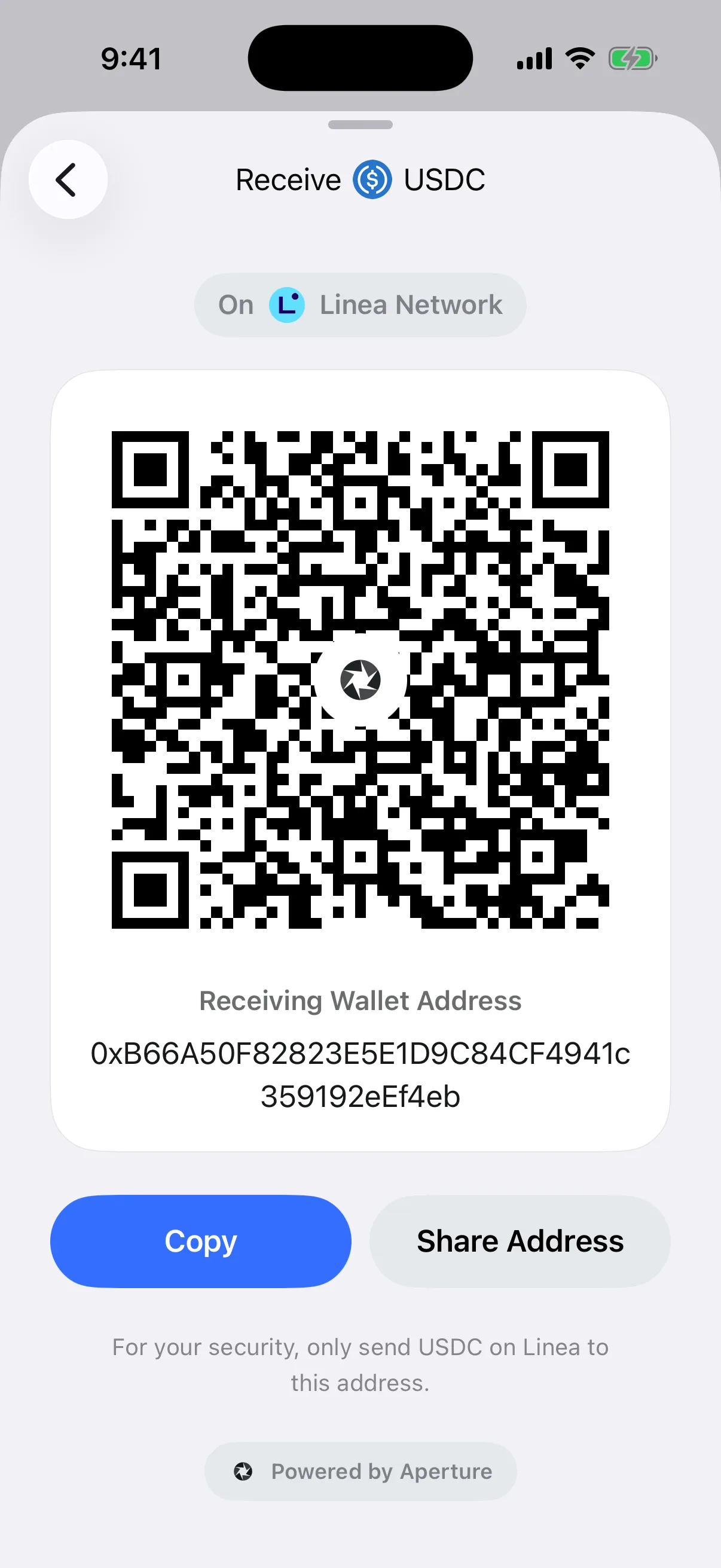
Real Aperture 2.40.12 output. The public address belongs to an empty article-only wallet. Do not send assets to addresses shown in documentation screenshots.
Ethereum-compatible networks often derive the same hexadecimal account address from the same wallet key. That visual similarity is useful for account continuity, but it can be misleading during a transfer. A Linea transfer and an Ethereum transfer are recorded on different chains. The same-looking recipient does not make the asset available on both, and a token contract valid on one chain does not automatically identify the corresponding token on another.
For an EVM native coin, Aperture’s QR payload includes the destination and the selected chain ID. For a catalog token, it includes the token contract, chain ID, and recipient in the standard transfer form. The on-screen address stays human-readable while the QR can carry the richer network-qualified instruction.
A receiving address is public—but precision still matters
The address on Receive is designed to be shared. It is not a recovery phrase, private key, passcode, or signing credential. Sharing a public receive address lets someone construct a transaction to the wallet; it does not let them spend from it.
Public does not mean approximate. Cryptocurrency addresses are exact identifiers. One changed character can point somewhere else or fail validation. Aperture renders the complete address under the QR, allows it to wrap without inserting visual hyphens, and keeps the text selectable. Copy writes the address itself to the clipboard; the button changes to a clear confirmation so you know the action completed.
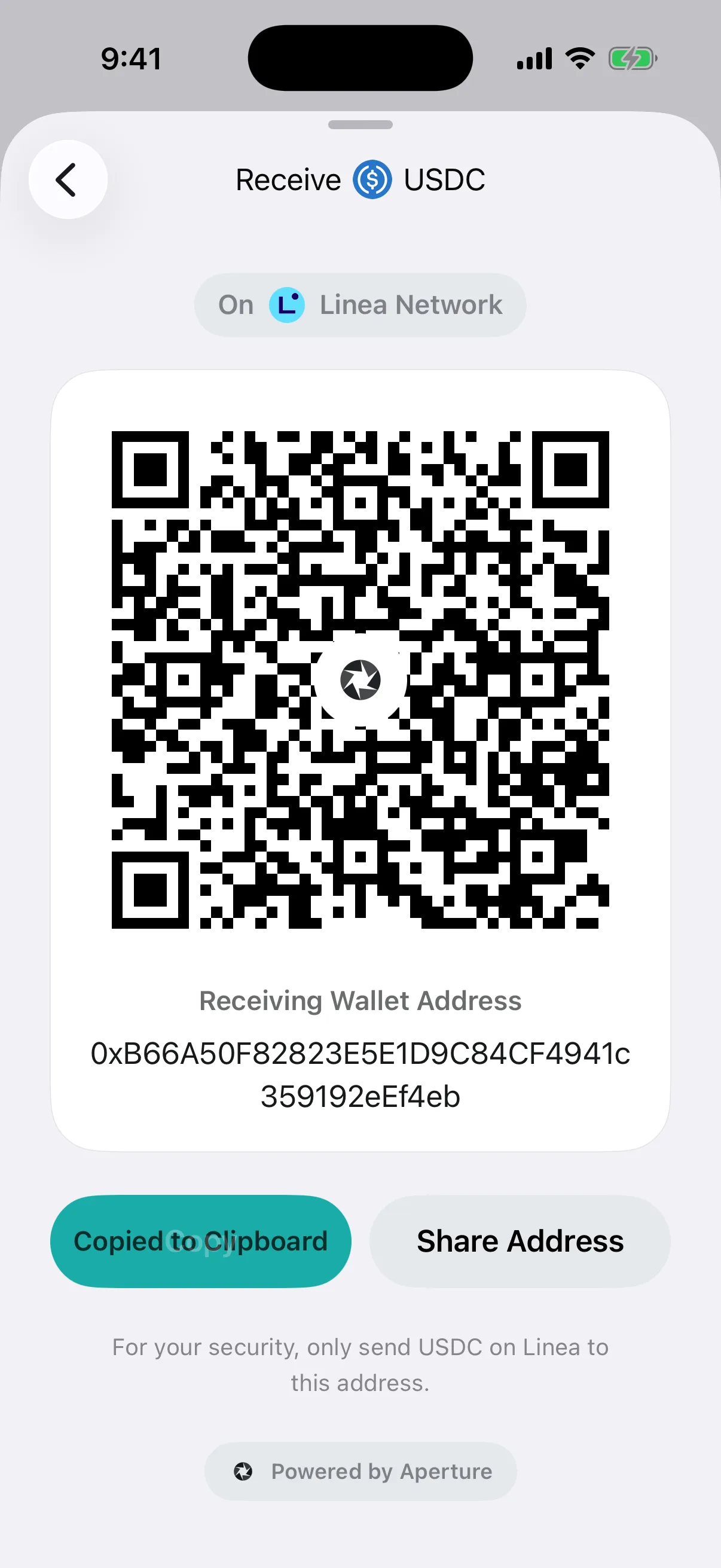
Real copy confirmation in the Simulator. For a high-value transfer, compare the beginning and end of the pasted address again on the sender’s review screen; clipboard replacement malware exists outside the wallet’s control.
When possible, verify the destination through a second trusted channel: compare a few characters during a call, use a previously verified contact, or scan the QR directly from the receiver’s device. Never “fix” an address by hand. If the sender reports an invalid format, return to Aperture and reopen the correct asset and network rather than editing the string.
What Aperture actually places in the QR code
A QR code is a transport for text. Aperture generates the bitmap locally from a network-aware payload, while keeping the exact destination printed beneath it. The payload differs because blockchains use different payment-request conventions:
EVM native coins. The payload uses an Ethereum payment URI containing the account address and the selected chain ID. No amount is appended by the current Receive screen.
EVM tokens. The payload identifies the token contract and chain ID, invokes the standard transfer form, and supplies the receiving address. No token amount is appended by the current Receive screen.
Conventional Bitcoin. The payload is a BIP21-style bitcoin URI containing the fresh receive address. Silent Payments use a Bitcoin URI with the reusable Silent Payment address in its dedicated parameter.
Solana in the current Receive flow. The QR contains the selected Solana account address. The visible network label and asset selection remain essential context.
Other independent account families. Aperture derives and validates the account for that blockchain, then uses the chain’s supported explicit scheme or direct address representation. Token identity is added where the supported request format permits it.
These details explain why the human-readable screen still matters. A camera can decode a syntactically valid request that belongs to the wrong person or wrong network. Before the sender continues, their wallet should show the same recipient, mainnet, asset, and any requested amount in its own review interface.
Share the address—or share a branded QR card
Aperture keeps two sharing modes separate. Share Address hands the native share sheet the plain public address. Share QR Code first renders a shareable Aperture card containing the QR, asset, network, tagline, and readable destination, then passes that image to the native share sheet. If QR rendering fails, the action safely falls back to sharing the address instead of inventing a broken image.
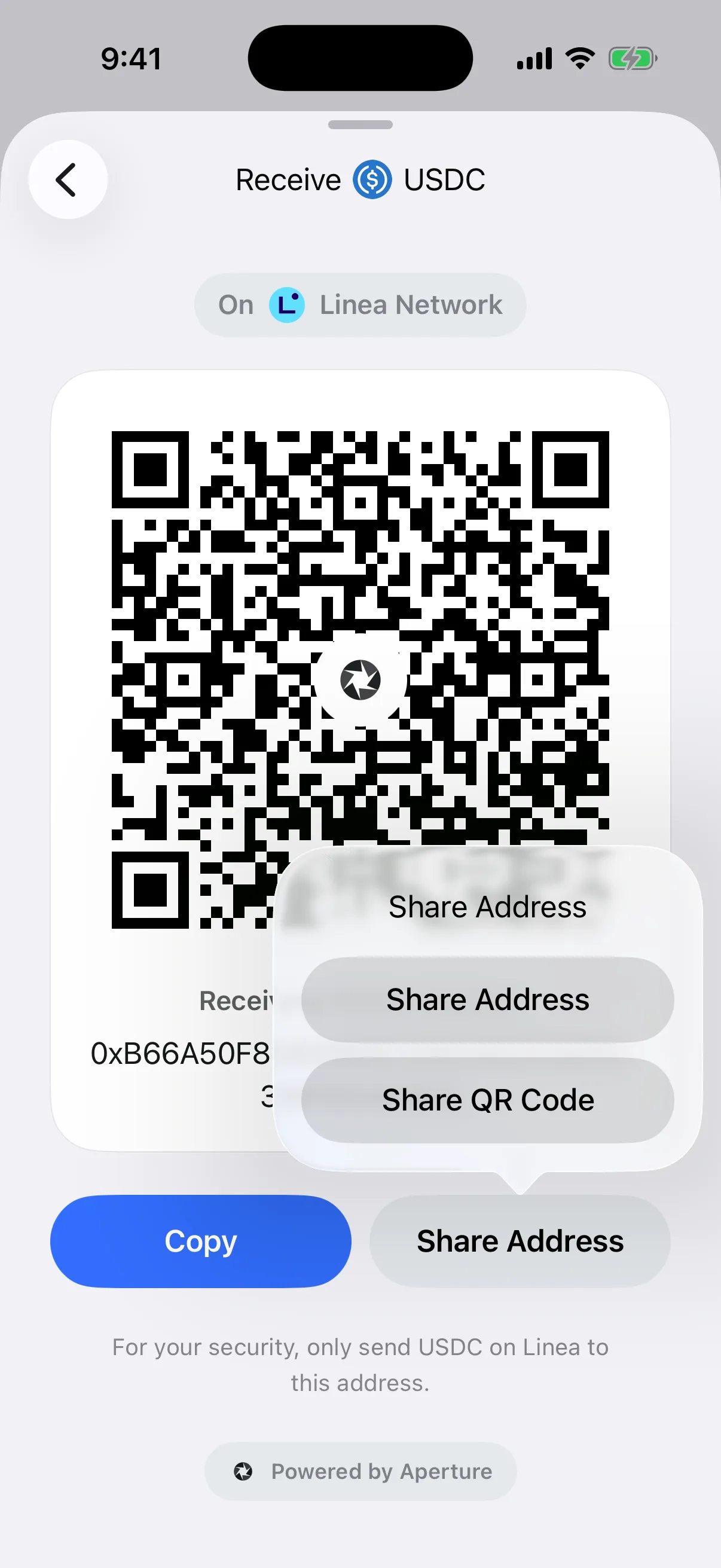
Real in-app sharing choice. The system share sheet was not captured so no contacts or personal suggestions appear in this article.
Use the plain address when the sender will paste it into a wallet and compare it. Use the QR card when the sender can scan from another device or when the visible network context should travel with the image. In either case, use a communication channel you already trust. A screenshot forwarded by an unknown account is not authenticated simply because it looks polished.
Requested amounts are requests—not authorizations
Aperture 2.40.12 does not add an amount to the QR generated by Receive. The current card describes the destination—plus richer asset and chain context where the URI standard supports it—but leaves the amount blank. The sender chooses the amount in Send and reviews it before authorization.
That is an important distinction. A payment request can prefill a number; it cannot sign a transaction, pay a fee, or spend from the sender’s wallet. Aperture’s Send parser understands amount-bearing forms from supported request standards, including Bitcoin’s decimal amount, Solana Pay’s user-unit amount, and the atomic-unit value fields used by EVM native and token requests. It validates formats, precision, duplicate parameters, supported networks, and token identity before presenting a request. But the sender still owns the final decision.
Communicate the unit. Say “0.01 ETH,” not just “0.01,” and avoid mixing an asset amount with a local-currency quote.
Keep fees separate. A request for 0.01 ETH does not mean the sender’s total cost is exactly 0.01 ETH; the sending network may require a separate fee.
Do not hand-edit payment URIs casually. Different networks express amounts in user units or atomic units. A misplaced scale can change the number by many orders of magnitude.
Review after scanning. The sender should compare the wallet’s decoded asset, network, recipient, and amount before continuing. Scanning is input, not consent.
For the sender-side path from recipient entry through review and confirmation, read Send Crypto Without Guesswork: From Recipient to Finality. For the difference between the transfer amount and network cost, read Where Crypto Network Fees Actually Go.
Bitcoin receive addresses are intentionally fresh
Bitcoin does not use the single static-account model common to EVM networks. For an HD wallet, Aperture prepares a fresh unused Bitcoin receiving address for the selected standard and displays it in a Bitcoin payment URI. The menu supports BIP86 Taproot, BIP84 Native SegWit, BIP49 Nested SegWit, BIP44 Legacy, and Silent Payments where the wallet supports them.
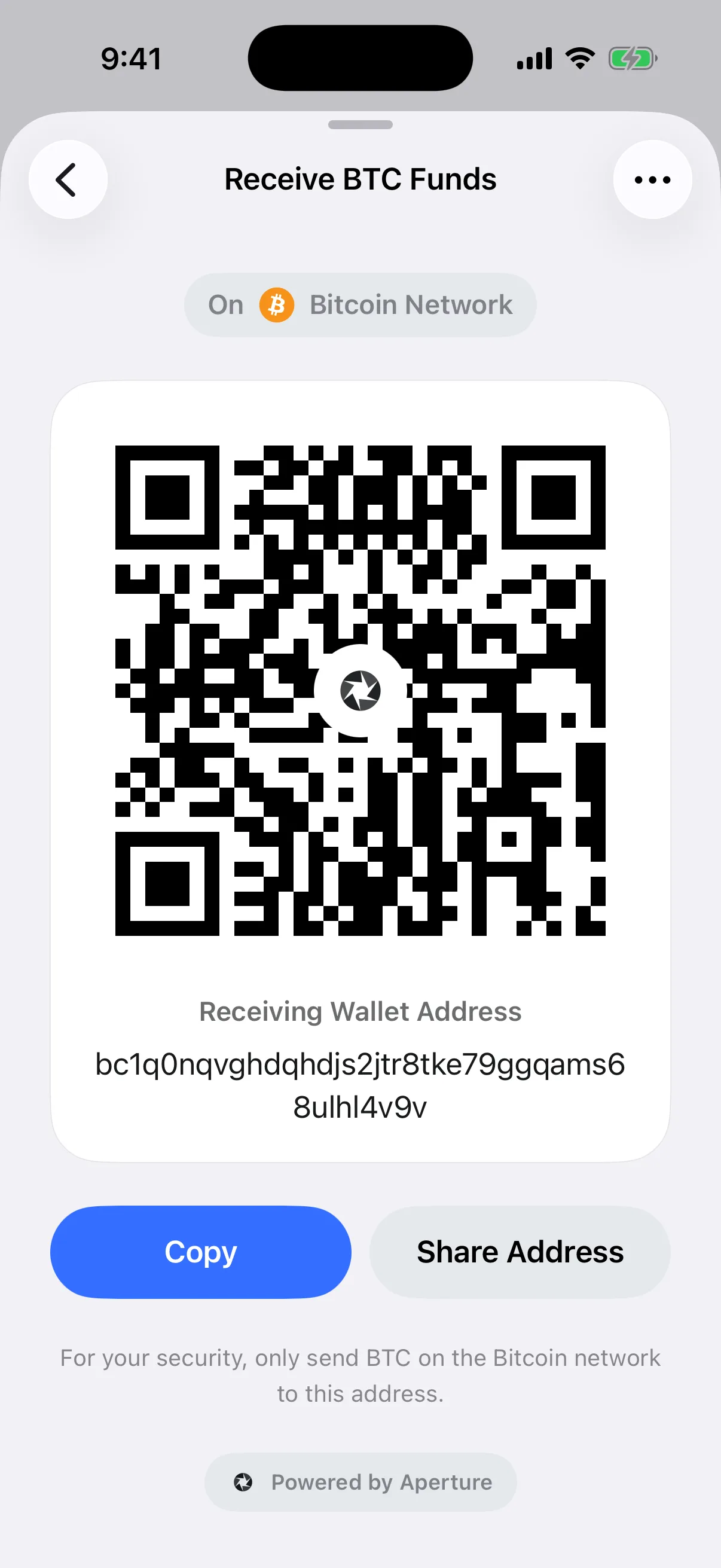
Real Aperture 2.40.12 Simulator capture using BIP84 Native SegWit. The address is public and belongs to the empty article-only wallet; it is not a deposit destination.
A fresh address improves on-chain privacy because unrelated incoming payments are less easily clustered through one reused destination. Aperture monitors the wallet’s derived address range so funds sent to the displayed address still belong to the same wallet. Read Why Bitcoin Wallets Generate Fresh Receiving Addresses for the HD discovery model, or Silent Payments in Aperture: A Reusable Bitcoin Address Without Address Reuse for the privacy-preserving reusable alternative.
Solana has its own account identity
Aperture does not recycle a generic EVM address for Solana. It derives and validates Solana account identities through the chain’s canonical address rules. Because Solana wallets in the ecosystem commonly use more than one derivation convention, Aperture can expose the compatible Phantom and Trust Wallet paths when both accounts are available. Choose the path that matches the wallet identity the sender expects.
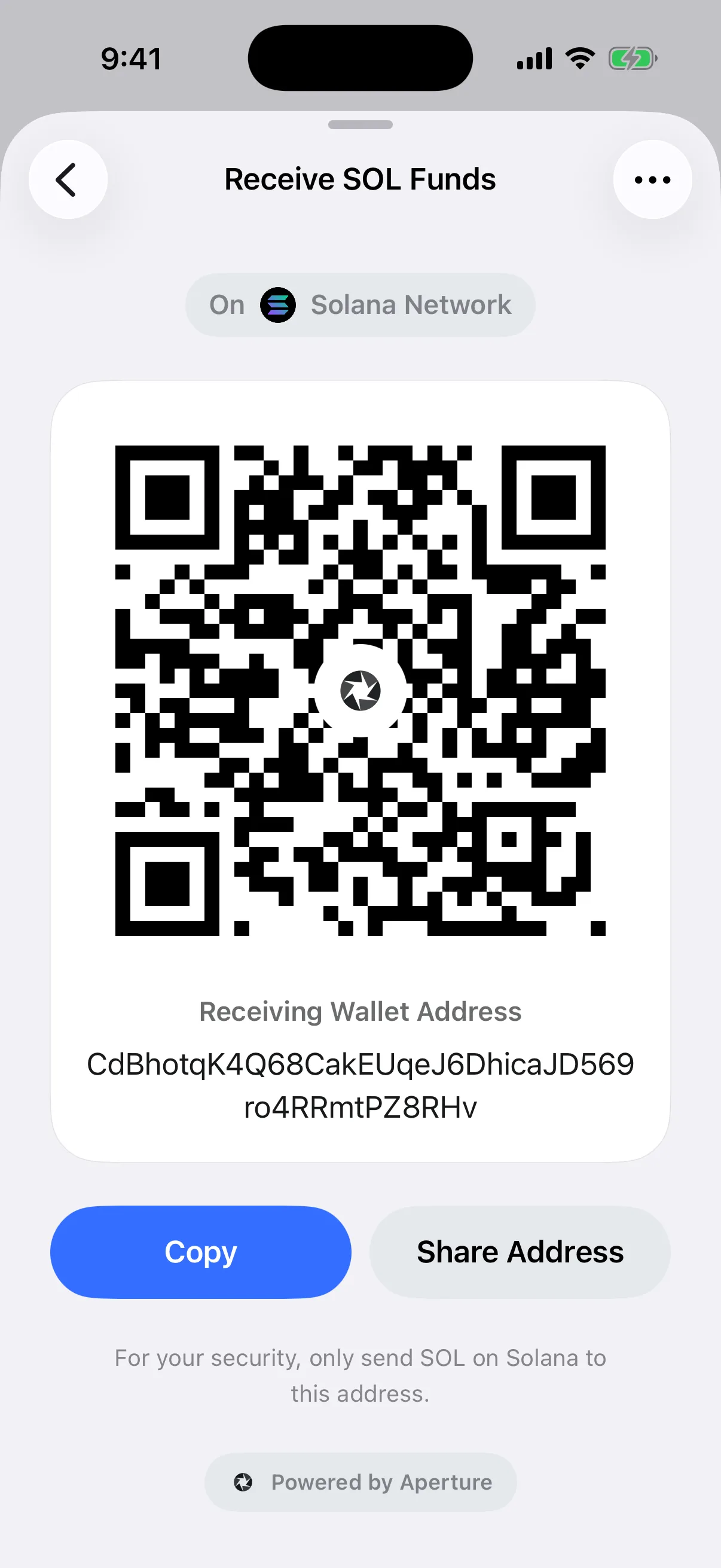
Real Solana receive screen from the same empty Simulator wallet. The QR and visible address represent the selected Solana account; neither exposes the private key.
The same principle extends to other non-EVM chains: the wallet must derive a real account for that blockchain, validate its address format, and show the correct network context. A hexadecimal EVM address is never a universal fallback for an unrelated chain.
Never infer an asset from the address alone
An address answers “where.” It may not fully answer “what.” One EVM account can receive a native coin and many token contracts on the same chain. The same symbol can also appear on multiple chains, and malicious or unrelated tokens can copy a familiar name.
Aperture’s catalog resolves token identity through blockchain plus normalized contract or mint address rather than ticker text alone. That is why the safe instruction is not “send USDC to this 0x address.” It is “send the catalog USDC asset on Linea to the address shown on the Linea receive card.” The extra words close the ambiguity that a bare address leaves open.
A safe first-transfer rehearsal
Open Receive from the intended wallet. If you manage several wallets, confirm the selected wallet name first.
Choose the exact asset and mainnet. Use search and the network selector; do not choose by symbol alone.
Read the network badge and warning. Make the sender’s withdrawal network match the full chain identity.
Copy or scan the destination. Avoid manual transcription and never edit the address to make another app accept it.
Compare the decoded request. On the sending device, recheck asset, network, recipient, and any requested amount.
Send a small test when the route is new. Wait until Aperture shows the incoming transfer with the expected network and asset before moving the remainder.
Record the final transaction hash. The hash is the durable reference for checking mainnet status; a screenshot of a “sent” message is not finality.
Reopen Receive for a later payment. This is especially important for Bitcoin, where a fresh address may now be displayed.
A test transfer is not magic—it still needs the same four checks—but it limits the consequence of a misunderstood network, token identity, or exchange label. It is often the cheapest useful insurance for a new route.
After the sender broadcasts
Sharing a receive card does not create a pending transaction on-chain. Activity begins only after the sender’s wallet signs and broadcasts a valid transaction. Aperture then discovers it through the selected wallet’s mainnet synchronization and follows the network-specific confirmation lifecycle.
Do not treat a chat receipt, exchange email, or copied hash as proof of spendable funds. Match the transaction hash, destination, network, asset, amount, and status in a trusted wallet or explorer view. Confirmation times vary with the chain and current conditions. If a sender paid too little in network fees, the transaction may remain pending; if they selected another chain, waiting longer will not move it to the intended ledger.
Mistakes a self-custody wallet cannot reverse
Wrong recipient. A confirmed blockchain transfer generally cannot be recalled by Aperture. The wallet does not control the destination key.
Wrong network. The transfer exists on the network the sender used. It does not automatically migrate to the network the receiver intended.
Wrong token contract or mint. A familiar name is not proof of the intended asset. Recovery depends on what was actually transferred and whether the destination account can control it.
Missing exchange memo or tag. When sending to a custodial deposit address, follow that provider’s exact memo or destination-tag instructions. Aperture’s own self-custody receive address should be used exactly as its screen presents it.
Amount misunderstanding. The chain records the amount expressed in the signed transaction, not the amount discussed in a message.
Questions before you receive
Is it safe to share my Aperture receive address? Yes. The receive address is public and cannot authorize spending. Never share a recovery phrase, private key, passcode, or backup secret as part of a receiving request.
Does scanning the QR automatically send money? No. A compatible sender wallet decodes the request and should present a review flow. Signing and broadcast require the sender’s explicit authorization.
Why can the same 0x address appear on several EVM networks? Supported EVM chains can share one derived account identity, but their ledgers and token contracts remain separate. Always match the chain ID and asset identity.
Does the current Receive QR include an amount? No. Aperture 2.40.12 generates amount-free receive requests. Communicate the amount and unit separately, then have the sender enter and review it.
Can I reuse the Bitcoin address in the screenshot? Do not send to documentation addresses. In your own wallet, reopen Receive and use the fresh address Aperture currently displays.
Why has the payment not appeared yet? Confirm that the sender actually broadcast it, verify the hash and destination, check the exact mainnet, and wait for that network’s confirmation process. A transfer on another chain will not arrive by waiting.
Make the request unambiguous before the chain makes it final
Safe receiving is not about memorizing address formats. It is about keeping context attached to the destination. Aperture starts with a real asset and mainnet selection, presents the network beside the QR, keeps the exact public address visible, validates chain-specific account identities, and lets you share either the address or a branded QR card.
The final responsibility remains human and shared: the receiver must request the correct route, and the sender must review what their wallet decoded before signing. When asset, network, destination, and amount all agree, the QR code becomes what it should be—a convenient carrier of precise instructions, not a substitute for them.
Share the context. Verify the destination. Let the sender authorize the amount.