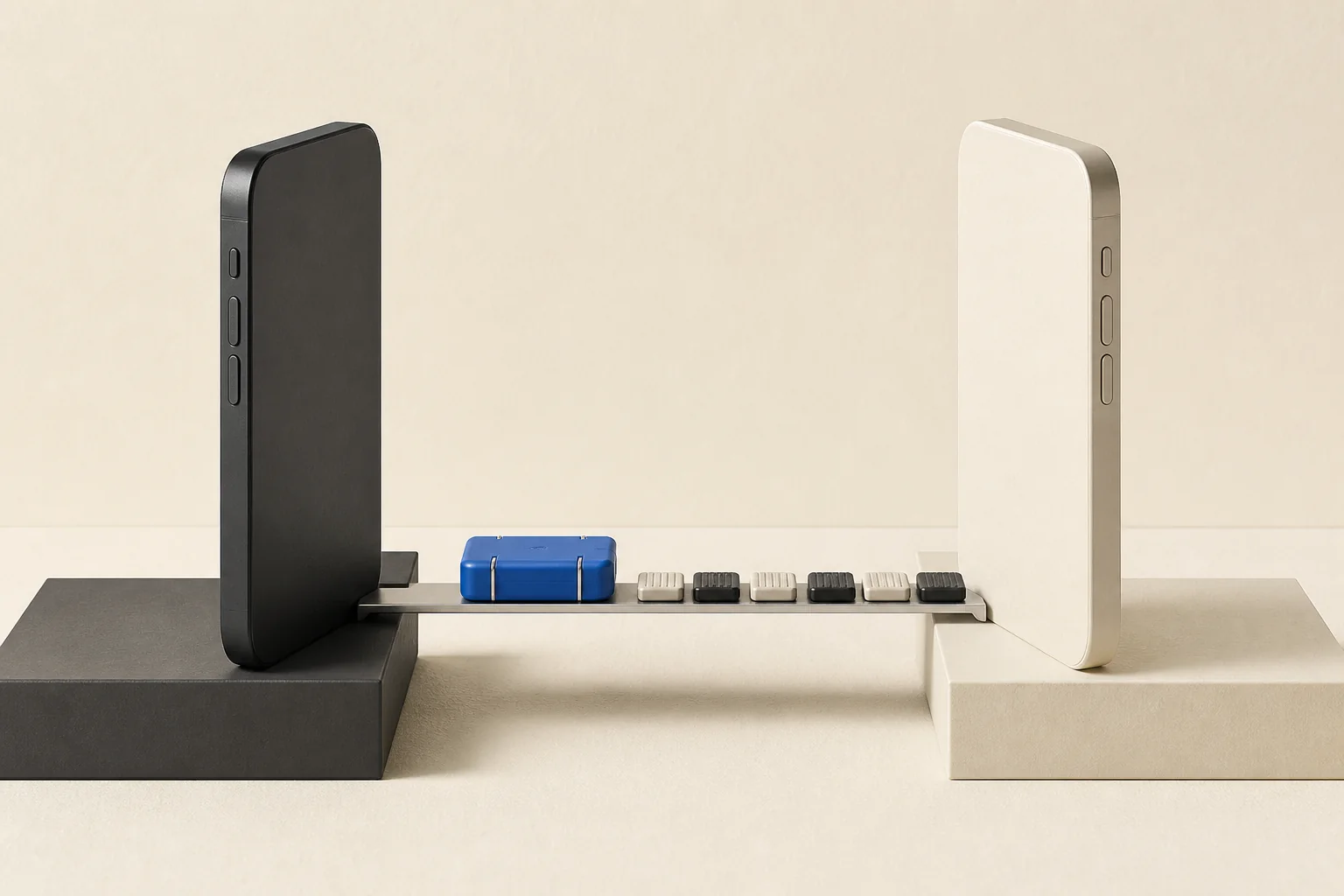
A new iPhone should not force you to rebuild your self-custody setup one wallet, network, contact, preference, and history record at a time. Aperture can move the complete portable app state directly from the old iPhone to a clean new installation while both devices are in your hands.
This is not a cloud export and it is not a recovery phrase hidden inside a QR code. The QR is only a short-lived invitation. After the new phone scans it, the two devices authenticate the invitation, derive a fresh transfer key, and exchange the package over an encrypted nearby-device session. Aperture does not upload that package to an Aperture server.
One temporary invitation. One nearby encrypted session. No transfer archive waiting on a server.
Begin on the iPhone that already has everything
On the old iPhone, open Settings → Security and choose Begin Secure Transfer under Transfer to a New iPhone. Aperture authorizes the sensitive export using the app’s current protection state before it opens the invitation screen. If App Lock is enabled, that means the normal approved passcode or biometric route; the authorization is short-lived and cannot be reused indefinitely.
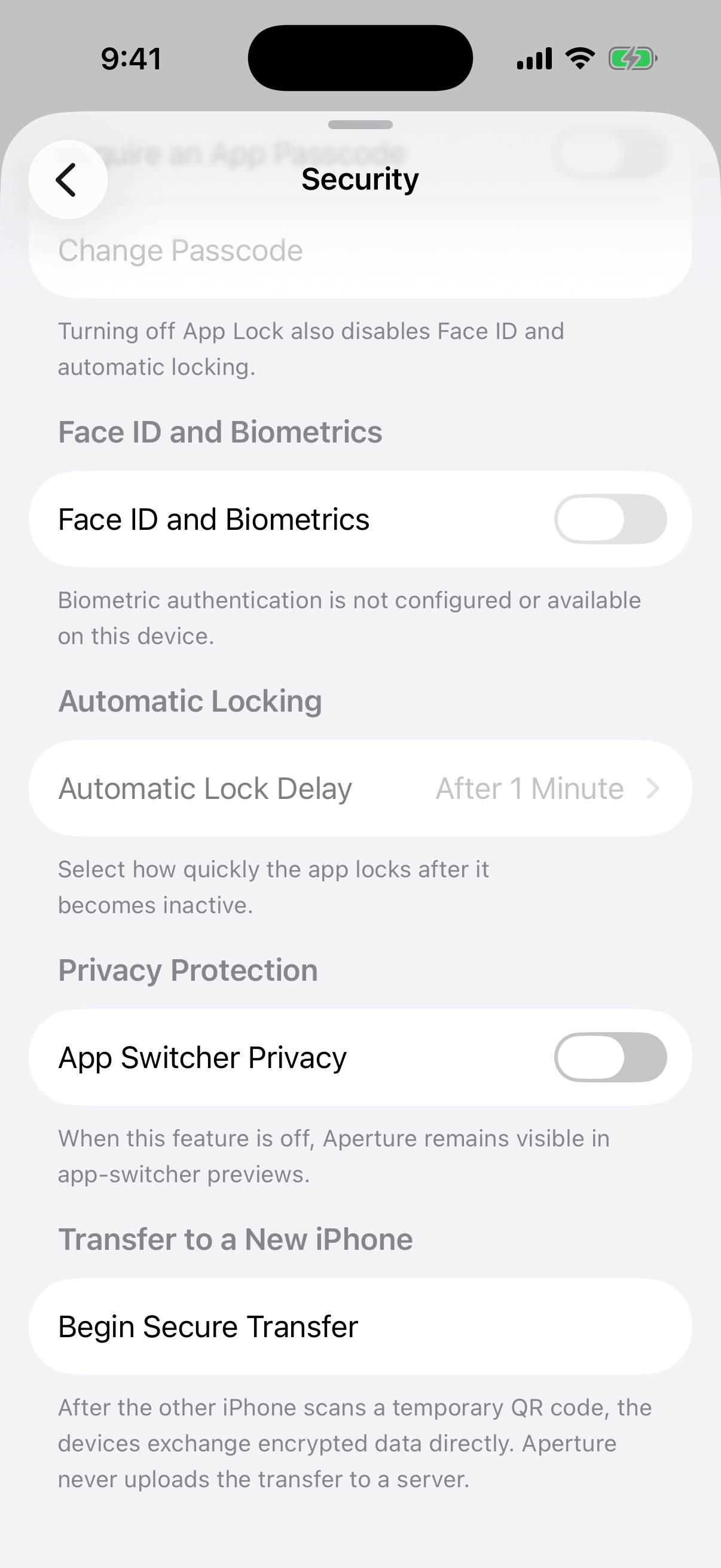
Captured from Aperture 2.40.12 running in the iOS Simulator. The screen contains no recovery phrase, private key, wallet address, or account balance.
At this stage, Aperture has not sent the wallet database anywhere. It advertises a nearby transfer session and waits for exactly one receiver that can prove it scanned the invitation. The portable database snapshot and wallet-secret bundle are prepared only after the devices establish the approved connection.
The QR code is a rendezvous, not the cargo
Aperture creates a new invitation for each attempt and displays it for about three minutes. The code contains four pieces of connection information: the transfer-protocol version, a cryptographically random 128-bit session identifier, the old phone’s ephemeral P-256 public key, and the expiration time.
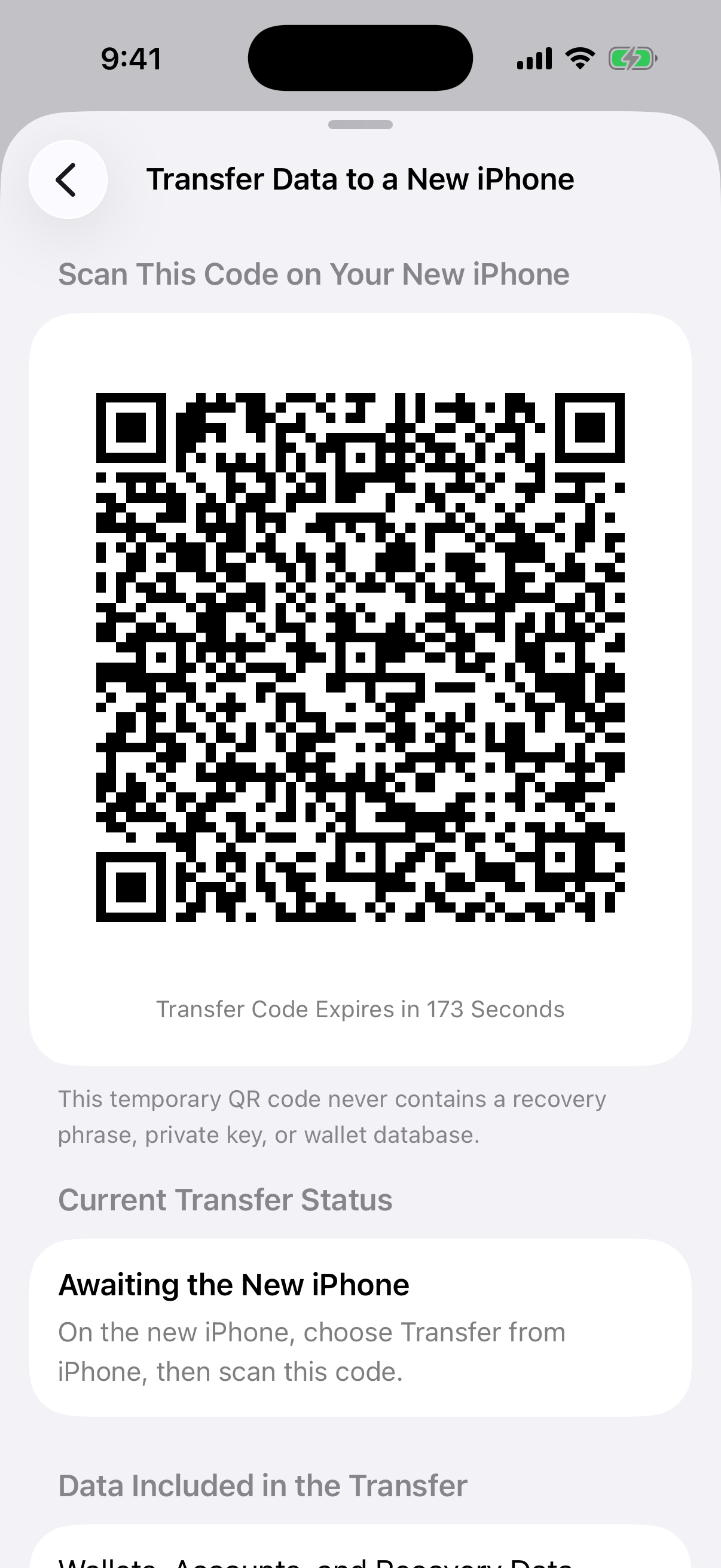
A real Simulator capture. This invitation had a visible countdown and is now expired. The QR never contained a recovery phrase, private key, wallet database, or readable account data.
It expires quickly. A code that sits unused stops advertising the transfer and cannot be treated as a permanent pairing token.
It carries only public and temporary connection material. The old phone’s private agreement key stays on that device, and wallet secrets are not encoded into the image.
It binds the receiver to this attempt. The new phone generates its own ephemeral key after scanning and authenticates its join request against the scanned session.
It accepts a single peer. Once the old phone accepts the authenticated receiver, it stops advertising to other nearby devices.
Start the clean setup on the new iPhone
Install Aperture on the new iPhone and choose Import an Existing Wallet → Transfer from Another iPhone. Direct migration is intentionally limited to a clean destination with no existing wallet records. That prevents a “merge” from silently replacing or mixing two self-custody states.
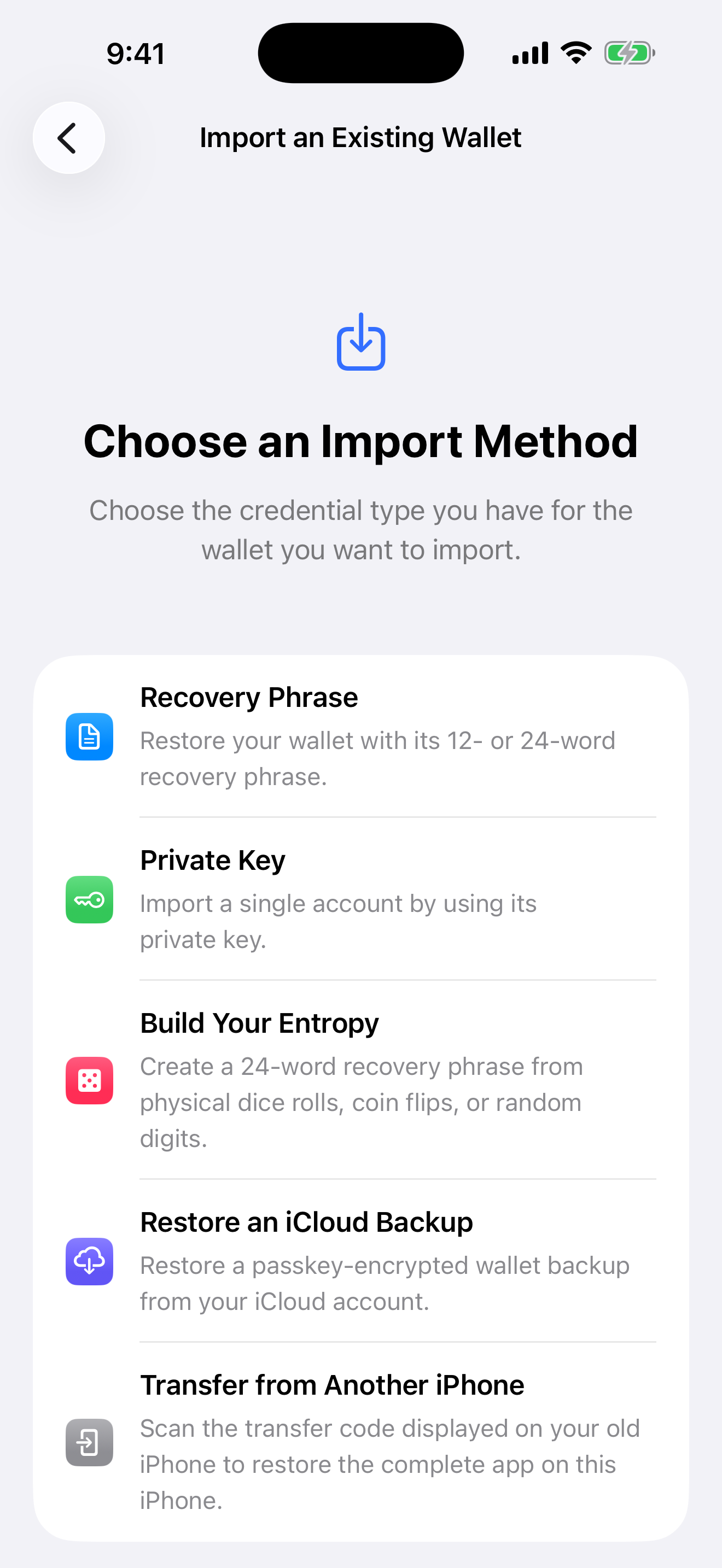
Captured from a separate clean iPhone Simulator running the current Aperture build. Transfer from Another iPhone appears only when the destination is eligible for a full migration.
Keep both iPhones nearby, unlocked, and open in Aperture. Enable Wi-Fi and Bluetooth.
On the new iPhone, open Transfer from Another iPhone and scan the temporary code on the old phone.
Review the invitation and continue only when both phones are yours and you initiated the transfer.
Leave both devices in Aperture while the new phone connects, receives, verifies, and restores the package.
Wait for success on both devices before navigating away or erasing anything.
How the two phones build the encrypted path
The cryptography is layered so the QR alone is insufficient and the transfer contents are not trusted merely because a nearby connection exists.
Fresh P-256 keys for this attempt. The old phone creates an ephemeral key pair before showing the QR. The new phone creates a separate ephemeral pair after scanning it.
A shared 256-bit transfer key. Each device performs P-256 key agreement and derives the same 32-byte symmetric key with HKDF-SHA-256, salted by the random session identifier. The private agreement keys never need to cross the connection.
Authenticated joining. The receiver proves possession of the derived key with HMAC-SHA-256 over the protocol version, session identifier, both public keys, and expiration time. The source rejects a request that does not match the scanned invitation.
Encrypted nearby transport is required. Aperture uses Apple’s Multipeer Connectivity with encryption required, then sends the portable database directly to the accepted nearby peer.
Sensitive control payloads are sealed again. The manifest, wallet-secret bundle, completion message, and final receipt use ChaCha20-Poly1305 authenticated encryption with domain- and session-bound associated data.
“Serverless” here has a precise meaning: Aperture does not relay the migration through an Aperture API, upload it to a cloud holding area, or create a downloadable server copy. The devices discover each other nearby and the package travels through their direct encrypted peer session.
What actually moves
Aperture takes a consistent snapshot of the portable database and pairs it with the wallet secrets required to make its accounts usable on the new installation. This carries far more than a seed-only import.
Wallets and accounts. App-created and recovery-phrase wallets, standalone private-key wallets, supported account records, selected-wallet state, networks, and hardware-wallet records move with the profile.
Recovery material for secret-bearing wallets. Recovery credentials and imported private keys are read from the old device’s protected vault for this transfer and saved under fresh Keychain references on the new iPhone.
Portfolio state. Assets, balances, prices, transaction history, transfers, synchronization state, and relevant cached data move so the new installation starts from a familiar state and can refresh from the networks.
Organization. Contacts, tags, visibility choices, wallet ordering, notification history, and local labels remain part of the experience.
App preferences. Appearance, language, currency, privacy, DApp, cache, and other portable settings are restored with the database.
Aperture deliberately does not clone installation-bound security references. Old Keychain references, device-bound biometric authorization, temporary Bitcoin key caches, and the old phone’s push-registration binding are stripped or regenerated. That is why Face ID must be enabled again on the new hardware and why some external integrations may need a fresh device-level confirmation.
Verification happens before restoration
A fast copy is not enough for private wallet material. The receiving iPhone treats the package as untrusted until it passes a sequence of structural, cryptographic, and wallet-specific checks.
Destination check. The receiving database must contain no wallets before a full migration begins.
Version check. The incoming database migrations must be compatible with the Aperture build on the new phone. Updating both phones before transfer avoids an avoidable mismatch.
File integrity. The received byte count and SHA-256 digest must match the encrypted manifest.
Database integrity. Aperture runs SQLite integrity and foreign-key checks and rejects non-mainnet network records.
Complete secret coverage. Every wallet that should have a recovery phrase or private key must have exactly one matching secret, and wallets that should not carry a secret cannot smuggle one into the import.
Account derivation. The transferred recovery material is checked against the wallet’s persisted accounts using the app’s canonical derivation rules before it is accepted.
Only after those checks pass does Aperture write fresh Keychain entries and restore the database. The operation keeps a rollback copy of the clean destination state. If the restore fails, Aperture rolls back and removes newly created secret references rather than leaving a half-imported wallet.
Both phones confirm the finish
After the new iPhone completes the atomic restore, it sends an encrypted receipt tied to the same transfer identifier. The old phone does not show success merely because bytes were sent; it waits for the destination to confirm that the import succeeded. Temporary transfer files and in-memory session keys are then discarded.
The old iPhone keeps its original data. This is intentionally a copy-and-verify migration, not an automatic remote wipe. Check the new installation before deciding what to do with the old device.
Verify the new iPhone before erasing the old one
Confirm the expected wallet count, wallet names, ordering, and selected wallet.
Compare at least one known public receive address for every important wallet.
Allow balances and transaction history to refresh, then investigate anything unexpected before moving funds.
Open contacts, tags, currency, appearance, privacy, and visibility settings to confirm the app feels complete.
Reconnect or reauthorize hardware- and device-bound features where the new iPhone requires it.
Enable Face ID again, review App Lock, and confirm your backup and recovery plan still works.
Know when direct transfer is—and is not—the right tool
Use direct transfer when both phones work. The old iPhone must still open Aperture, authorize the export, and remain nearby until the new phone confirms the import.
Use recovery when the old phone is gone. A recovery phrase, exact BIP-39 passphrase where applicable, or a verified passkey-encrypted iCloud backup is the correct path when the source device is unavailable.
Start with a clean destination. Direct migration is a complete-state restore, not a tool for merging wallets into an already populated Aperture installation.
Keep the apps current. Incompatible database versions are rejected rather than guessed through. Update Aperture on both iPhones before beginning.
Treat transfer as convenience, not backup. The old device remains a single point of failure until the move begins. Maintain an independent manual or encrypted recovery route even after a successful migration.
A complete move without surrendering custody
The easiest migration would be to upload everything to a server and download it later. For a self-custody wallet, that convenience creates the wrong kind of copy. Aperture instead uses the moment when both trusted devices are present: the old phone authorizes, the new phone scans, both derive a fresh key, and the package moves directly.
The result is more than a wallet import and less than a device clone. It restores the portable Aperture experience, regenerates what must belong to the new installation, verifies the cryptographic identity of every secret-bearing wallet, and leaves the source untouched until you decide the move is complete.
Move the experience. Recreate device-bound trust. Verify first. Erase later.