
Every Aperture import option can end with a usable wallet, but they do not restore the same thing. A recovery phrase can recreate a deterministic wallet across supported networks. A private key represents a much narrower account scope. An encrypted iCloud backup restores one protected wallet. A direct iPhone transfer moves the portable Aperture experience—including all eligible wallets and local app state—from one working device to another.
The right choice is not the option that sounds most secure or most convenient in the abstract. It is the option whose credential you actually have and whose recovery scope matches what you are trying to bring back.
Choose by evidence: what credential is in your hands, whether the old iPhone still works, and whether you need one account, one wallet, or the complete app.
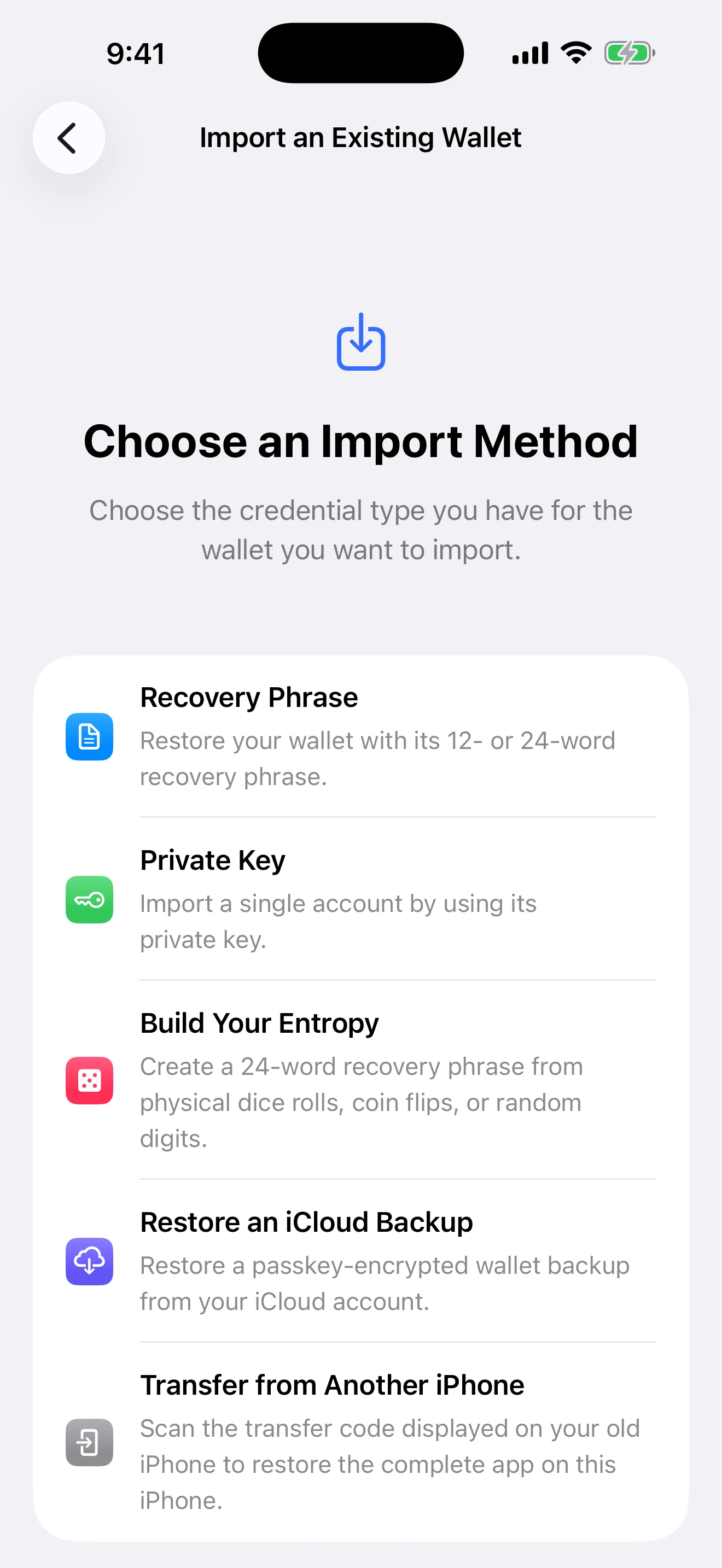
A real Aperture 2.40.12 capture from a clean iPhone Simulator. No recovery phrase, passphrase, private key, wallet address, backup, or transfer payload appears in this image.
The thirty-second decision
Your old iPhone still works and you want everything. Use Transfer from Another iPhone. It is the only route designed to restore the complete portable app state, and the destination must be clean.
The old iPhone is unavailable, but you have an Aperture iCloud backup and its Apple passkey. Use Restore an iCloud Backup. It restores that selected wallet from its encrypted backup document.
You have the wallet’s recovery words. Use Recovery Phrase. Add the exact BIP-39 passphrase if the wallet was created with one.
You have one chain-specific private key or supported extended key. Use Private Key and choose the blockchain first. Expect the account scope represented by that key—not a full seed wallet.
If none of those statements is true, do not experiment with similar-looking credentials. Aperture cannot derive a missing recovery phrase from one child private key, manufacture a forgotten BIP-39 passphrase, decrypt an iCloud backup without its matching passkey, or transfer data from an old iPhone that can no longer authorize and open the app.
First principle: importing access is not moving crypto
Your crypto assets remain recorded by their blockchains. Importing gives a new Aperture installation the cryptographic authority and account identity needed to find and use those assets. The network does not receive a “move wallet” transaction, and nothing is sent simply because the wallet becomes visible on another device.
What changes between methods is how much identity and local context can be reconstructed. A deterministic seed can derive many chain accounts. One private key proves one account scope. An iCloud backup carries one wallet credential and limited identity metadata. A direct device transfer carries the portable database as well as the wallet secrets needed to make that database usable.
Recovery Phrase: rebuild the deterministic wallet
A BIP-39 recovery phrase is a human-readable encoding used to produce a deterministic seed. The BIP-39 specification defines the mnemonic-to-seed process and an optional passphrase. Aperture accepts valid 12-, 15-, 18-, 21-, or 24-word phrases from its supported BIP-39 language lists, validates the checksum, and uses its canonical mainnet derivations to reconstruct the full-wallet account scope.
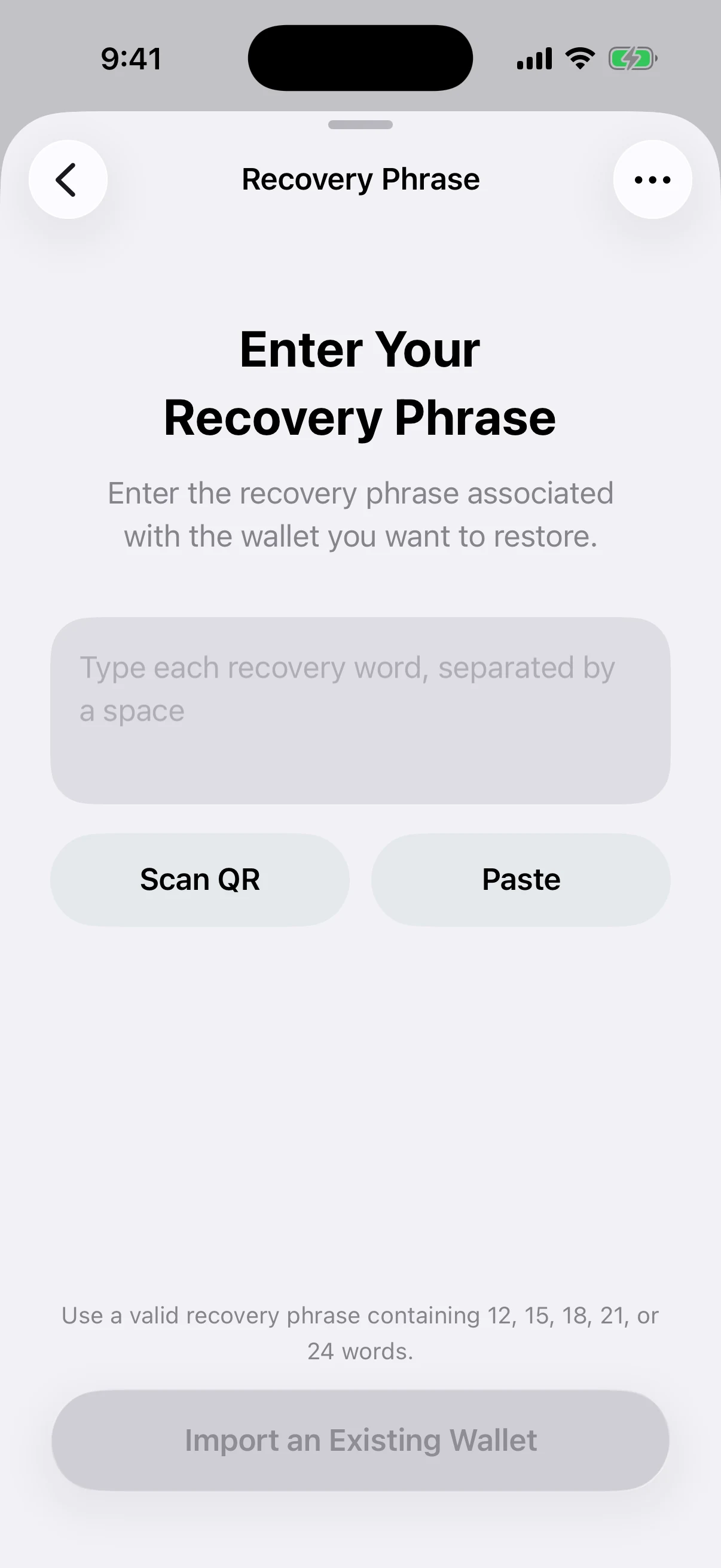
Real Simulator output with the secret field intentionally empty. Recovery material was never typed, pasted, scanned, logged, or included in the article assets.
What you need. Every word in the correct order, from the correct BIP-39 language list. If the original wallet used a passphrase, you need that exact passphrase as well.
What it restores. The deterministic wallet identity and Aperture’s supported mainnet accounts derived from that seed and passphrase combination.
What it does not restore. Local contacts, tags, notes, wallet ordering, cached balances, app preferences, or a standalone account that was imported from an unrelated private key. Networks can resynchronize public activity, but private local organization is not encoded in the phrase.
Best use. Independent recovery when the original device, app installation, and cloud services are unavailable.
Portability. This is the most portable option when another wallet implements the same standard, word list, passphrase behavior, and derivation paths. Address verification is still essential.
The ellipsis on the recovery screen opens BIP-39 tools, including the optional recovery passphrase and official word lists. If the wallet used a passphrase, the words alone are not enough. The same words with a different passphrase derive a different, valid wallet; there is no universal “wrong passphrase” signal. Read the complete Aperture passphrase guide before restoring a passphrase-protected wallet.
Private Key: restore the represented account scope
A private key is the signing authority for a specific cryptographic account. It is not a synonym for a recovery phrase, and a single child key cannot be reversed into the deterministic seed or every sibling account that seed could derive. Aperture therefore asks for the blockchain before it asks for the key.
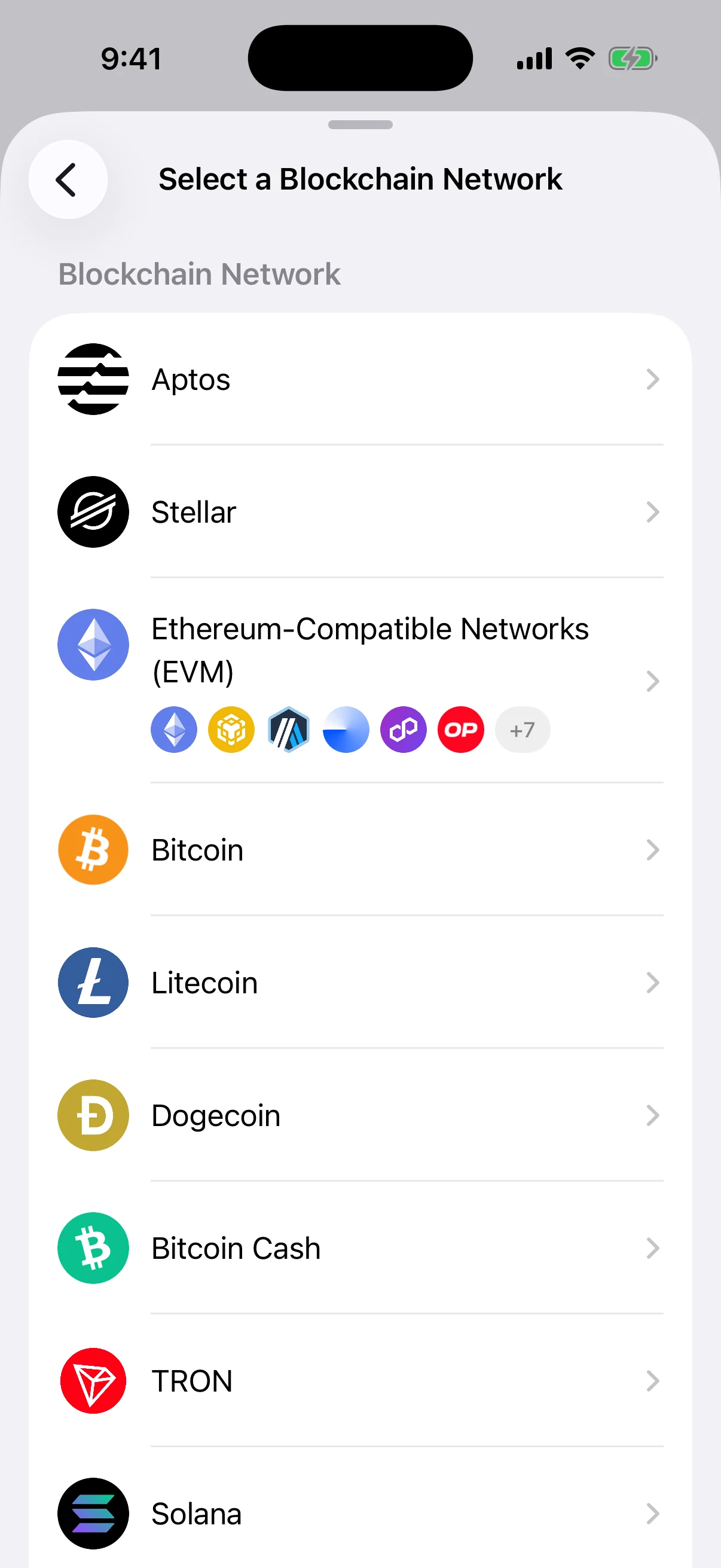
Real Simulator output. The network must be selected before key entry because valid formats, address derivation, and account capabilities differ by chain.
Aperture supports the formats appropriate to each listed network—for example, raw hexadecimal secp256k1 keys for EVM and TRON accounts, Bitcoin-family WIF or supported extended private keys, Solana seed or keypair encodings, and validated Ed25519 material for applicable networks. The importer decodes the selected format, derives the canonical public address, and rejects a key that is not valid for the chosen route.
What you need. The exact private or extended key and the blockchain it belongs to. Guessing from the number of characters is unsafe.
What it restores. The chain/account scope represented by that key. An EVM import can use the same proven address across supported EVM-compatible mainnets; a non-EVM key remains scoped to its validated network.
What it does not restore. The original mnemonic, unrelated chains, sibling accounts, a BIP-39 passphrase, or the previous app’s contacts, notes, and settings.
Best use. Bringing one standalone account into Aperture when its recovery phrase is unavailable or was never part of that account’s export format.
Important limitation. Treat it as an account import, not as a complete backup of a multi-network wallet.
iCloud Backup: restore one protected Aperture wallet
An Aperture iCloud backup is an app-specific encrypted recovery package. When backup is enabled for a wallet, Aperture encrypts its recovery credential or imported private-key material locally, stores the encrypted document in the app’s private iCloud Drive container, and verifies that remote copy. Restoration requires the Apple passkey created for that wallet.
Apple documents that passkeys are public-private key credentials stored through Passwords & Keychain and available across eligible Apple devices through iCloud Keychain. See Apple’s passkey documentation for the platform model. Aperture uses the wallet-specific passkey to obtain the cryptographic material required to unwrap and authenticate the encrypted backup; the wallet payload is decrypted locally.
What you need. The Apple Account containing the encrypted Aperture backup, iCloud Drive access, Passwords & Keychain, and the matching wallet passkey.
What it restores. One selected wallet credential plus the wallet name, kind, expected address, passphrase status, and private-key network/format metadata needed to validate that wallet.
What it does not restore. The complete multi-wallet database, contacts, tags, notes, cached portfolio state, or every application preference. Each eligible wallet has its own backup status and must be considered separately.
Best use. A direct recovery on a trusted replacement Apple device when the old iPhone is gone but the verified backup and passkey remain available.
Portability. This is an Aperture-and-Apple recovery route, not a plain recovery phrase that can be typed into any compatible wallet. Keep an independent manual backup.
For the full encryption and restore sequence, read Lose Your Phone, Not Your Wallet.
iPhone Transfer: move the complete portable Aperture state
Direct iPhone transfer is different from credential import. It is designed for a planned move while the old iPhone still works. The old device authorizes an export, displays a short-lived invitation, and establishes an encrypted nearby connection with a clean Aperture installation on the new iPhone. Aperture does not create a server-side transfer archive.
What you need. Both iPhones nearby, unlocked, current enough to use a compatible transfer protocol, and open in Aperture. The old phone must authorize the export; the new phone must start with no wallet records.
What it restores. Eligible wallets and accounts, recovery and private-key material under fresh Keychain references, assets, balances, prices, transaction history, contacts, tags, wallet ordering, selected-wallet state, and portable application preferences.
What it deliberately recreates. Installation-bound security references, biometric authorization, temporary key caches, and push bindings are not cloned as if the new hardware were the old hardware.
Best use. A planned move to a new iPhone when you want the closest result to continuing the same Aperture setup.
Not a backup. If the old device is lost or broken before the session begins, direct transfer cannot help. Maintain a recovery phrase or verified encrypted backup independently.
The new iPhone validates the transferred database, migration compatibility, file digest, wallet coverage, and every secret-bearing account before it restores the package. The old iPhone keeps its data after success so you can verify the new installation before deciding whether to erase anything. Read the complete encrypted iPhone transfer guide for the full protocol.
Why iPhone Transfer disappears after setup
A full device migration is not a merge. Importing a second portable database into an installation that already contains wallets could create ambiguous ownership, duplicate records, conflicting settings, or misleading local history. Aperture therefore exposes Transfer from Another iPhone only when the destination is eligible for a complete clean restore.
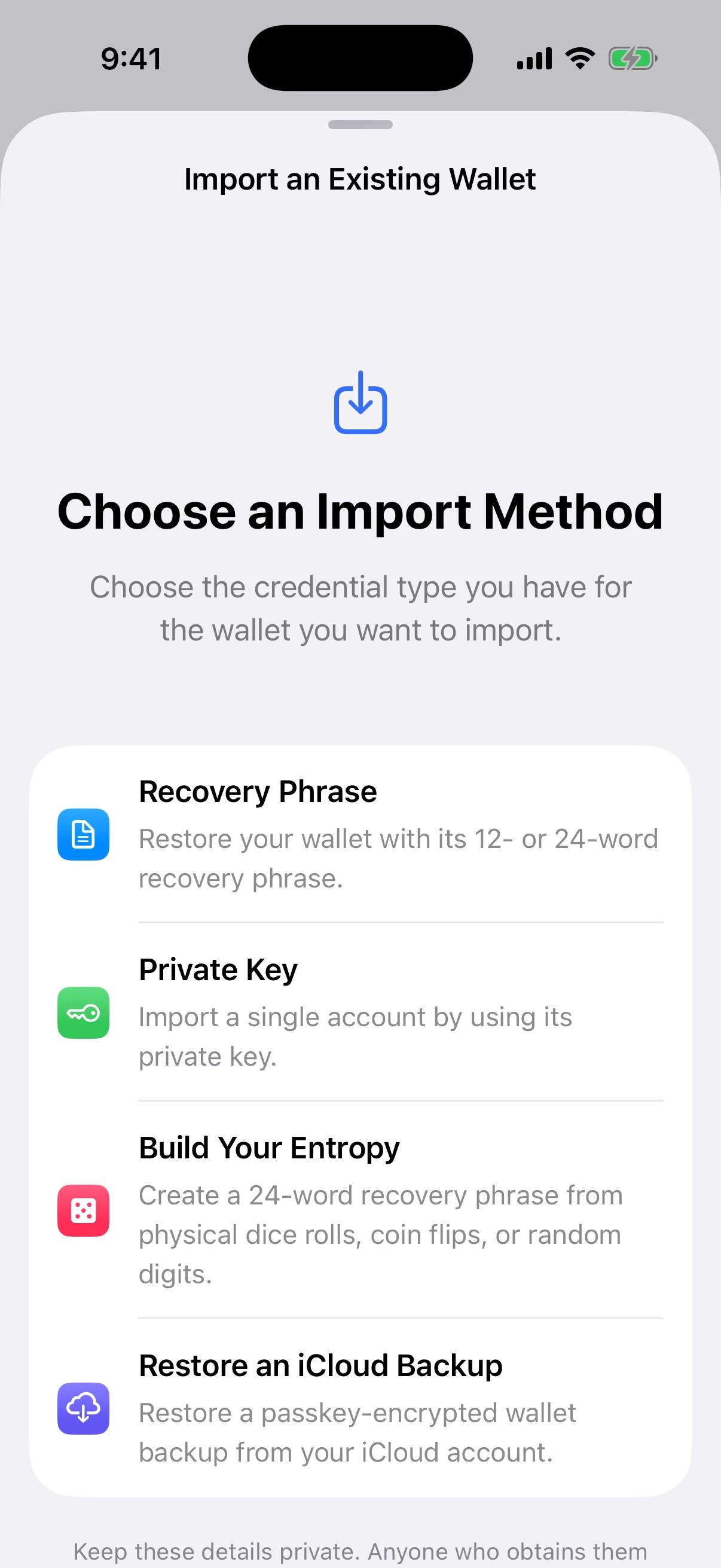
Real Simulator output from an existing Aperture installation. Recovery Phrase, Private Key, physical entropy, and iCloud restore can add or recover individual wallet state. Full iPhone transfer is intentionally absent because this destination is no longer empty.
If you already created or imported a wallet on the new phone but intended to perform a complete device migration, stop before adding more state. Decide whether that new wallet needs an independent backup, then return to a genuinely clean Aperture destination through the appropriate supported reset or installation path. Do not delete a credential you have not backed up merely to make the transfer option appear.
What returns: an exact comparison
Recovery Phrase — deterministic identity. Rebuilds the full-wallet derivation scope from standardized words plus the exact optional passphrase. Public network history can be rediscovered; private local organization cannot.
Private Key — one signing scope. Restores the account or chain family represented by that key. It does not recreate the seed or unrelated accounts.
iCloud Backup — one Aperture wallet. Restores one encrypted wallet credential and the metadata needed to identify and validate it. It depends on the wallet’s Apple passkey and iCloud backup.
iPhone Transfer — the portable app. Moves all eligible wallets plus the portable database and preferences, while rebuilding security items that must belong to the new installation.
Common wrong turns
Entering recovery words in the private-key field. They are different credential formats. Choose Recovery Phrase and preserve word order.
Forgetting the BIP-39 passphrase. The words can validate perfectly and still derive the wrong wallet when the passphrase is missing or mistyped.
Choosing the wrong chain for a private key. Address rules and accepted encodings differ. Use the network the key was created for, not the network where you hope funds exist.
Expecting one EVM key to restore Bitcoin or Solana. EVM-compatible mainnets can share the proven EVM address; unrelated cryptographic chains do not.
Treating iCloud as a universal seed export. It is an encrypted Aperture backup that requires its Apple passkey. Maintain a manual recovery credential too.
Trying to merge with iPhone transfer. The destination must be clean. Add individual wallets through Recovery Phrase, Private Key, or iCloud when you need to preserve an existing installation.
Erasing the old phone immediately. After direct transfer, first compare wallet count, known public addresses, balances after refresh, contacts, settings, and backup status.
Import safely
Use a trusted, updated device in a private environment.
Never enter a recovery phrase, passphrase, or private key into a website, support chat, email, or message. Aperture support cannot need it.
Do not create screenshots of secret fields. The screenshots in this article are real but intentionally contain no credential material.
After import, compare at least one complete known public receive address before sending or receiving meaningful value.
Keep the original backup until the restored wallet has been independently verified.
If you used a private key, document its network scope so it is never mistaken for a complete multi-network backup.
One final decision tree
Do both iPhones work, and do you want every eligible wallet plus local app state? Choose Transfer from Another iPhone on a clean destination.
If not, do you have a verified Aperture iCloud backup and its matching Apple passkey? Choose Restore an iCloud Backup.
If not, do you have the recovery words and the exact optional BIP-39 passphrase? Choose Recovery Phrase.
If not, do you have a supported private or extended key and know its blockchain? Choose Private Key.
If none applies, pause. Creating a new wallet does not recover an old one, and Build Your Entropy creates a new 24-word wallet rather than importing missing credentials. Read Make Randomness Physical only when your intention is to create a new wallet.
The method should match the recovery you mean
The four choices form a ladder of scope. A private key is narrowest. A recovery phrase expands to a deterministic wallet. An iCloud backup restores one Aperture-protected wallet with a smoother Apple-device recovery path. A direct iPhone transfer is widest because it moves the portable app state as well as its eligible wallet credentials.
Wider is not always better. When the source phone is gone, direct transfer is unavailable. When only one standalone account should be imported, a private key is more honest than pretending it is a seed. When long-term portability matters, the recovery phrase and exact passphrase remain the independent foundation.
Import the credential you truly have. Expect only the scope it can prove. Verify the public result before trusting the recovery.