

A recovery phrase can create more than one wallet. Add a BIP-39 passphrase and the same 24 words lead to a completely separate set of accounts and addresses—one that can be reproduced only with both inputs.
Aperture brings that advanced option into wallet creation and recovery without hiding the consequences. It confirms the passphrase twice, explains exactly what changes, and gives you a clear path to back up the two secrets safely.
The passphrase does not lock, rename, or modify the wallet made from your recovery phrase alone. It derives another valid wallet.
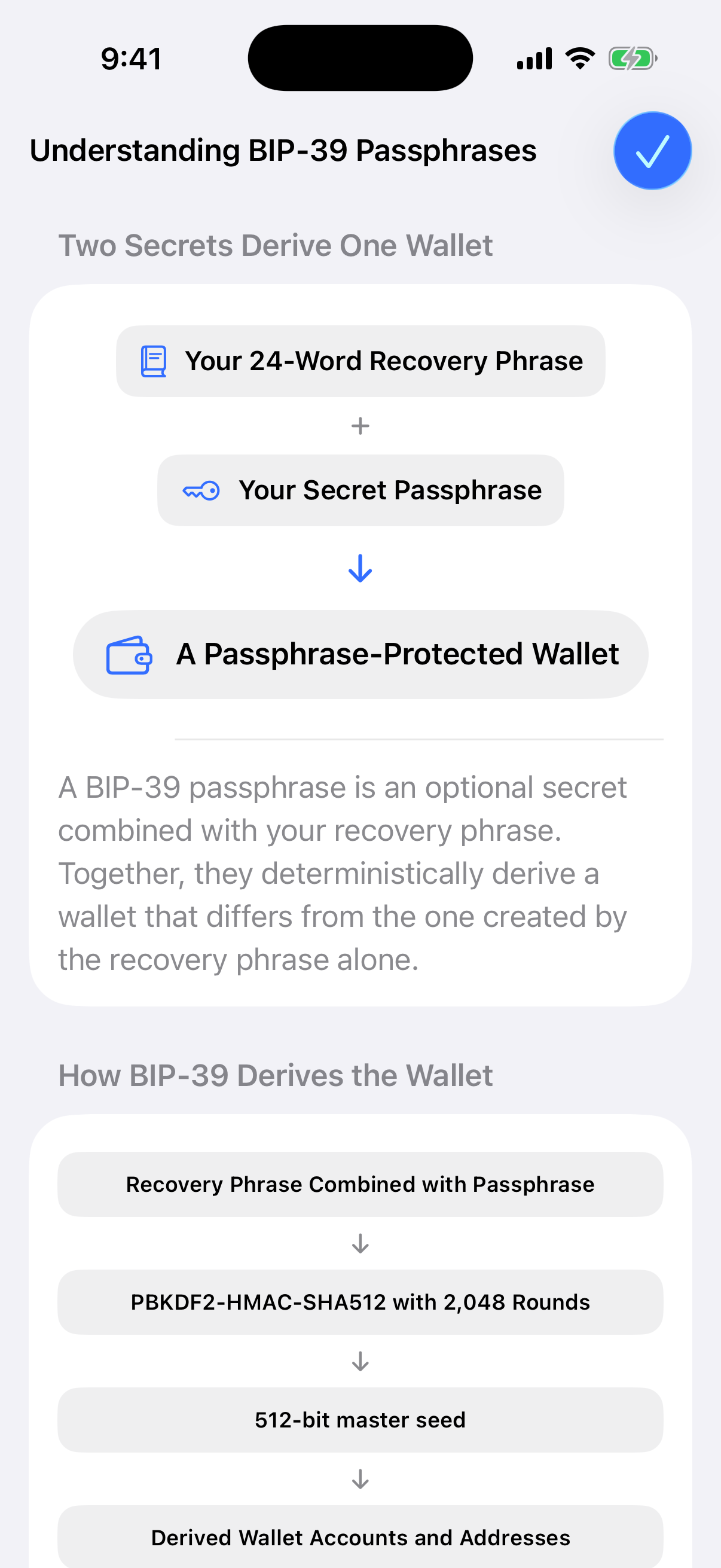
A real Simulator capture from the current Aperture build. The guide uses labels only; no recovery phrase, passphrase, wallet address, or private account data appears in this image.
Two secrets, one deterministic result
Under BIP-39, the normalized recovery phrase is used as the PBKDF2 password. The salt is the word “mnemonic” followed by the normalized passphrase. PBKDF2-HMAC-SHA512 runs for 2,048 iterations and produces a 512-bit seed; wallet accounts and addresses are then derived from that seed.
The empty string is a valid passphrase. That is the familiar wallet derived from the recovery phrase alone. Any nonempty passphrase derives its own wallet. Because the process is deterministic, the same normalized recovery phrase and exact passphrase reproduce the same result on compatible BIP-39 software.
This is why calling a passphrase a “25th word” can be misleading. It is not an extra word appended to the mnemonic, and it does not need to come from the BIP-39 word list. It is a separate input whose case, spaces, punctuation, and ordering matter.
There is no “incorrect passphrase” warning
BIP-39 does not know which wallet you intended to open. Every passphrase produces a valid seed. A one-character typo therefore does not fail like a wrong login password—it quietly opens a different wallet, usually with a zero balance.
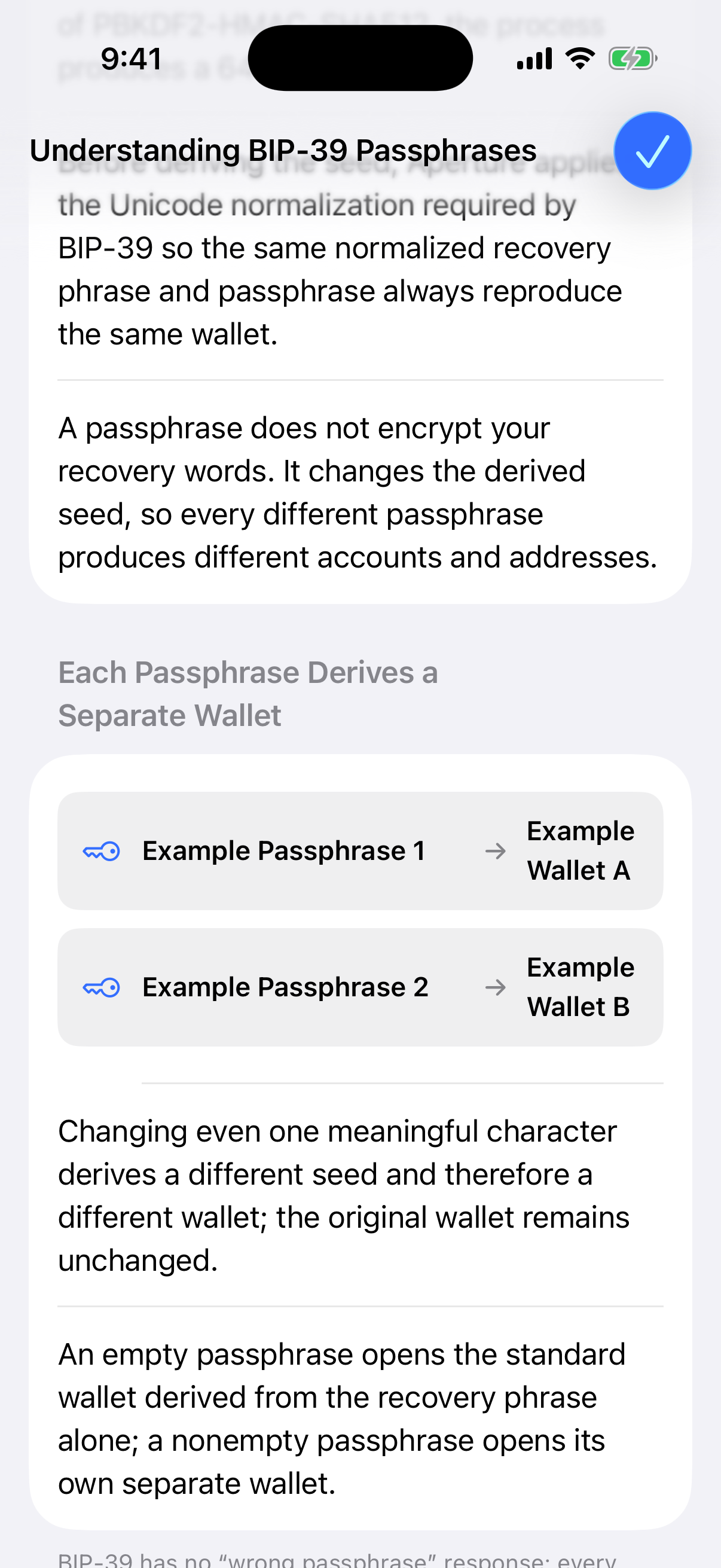
The current app makes the separation explicit: Wallet A remains unchanged when another passphrase derives Wallet B.
That behavior is powerful, but it changes the backup model. Your recovery phrase alone is no longer enough to restore the passphrase wallet. If the passphrase is lost, there is no reset link, recovery service, or support override that can reconstruct it.
Protection comes from strength and separation
If someone finds only the recovery phrase, they still need the exact passphrase to derive the protected wallet. But this benefit is only as strong as the passphrase and the way it is stored. A name, birthday, quotation, pattern, or reused password may be guessed quickly.
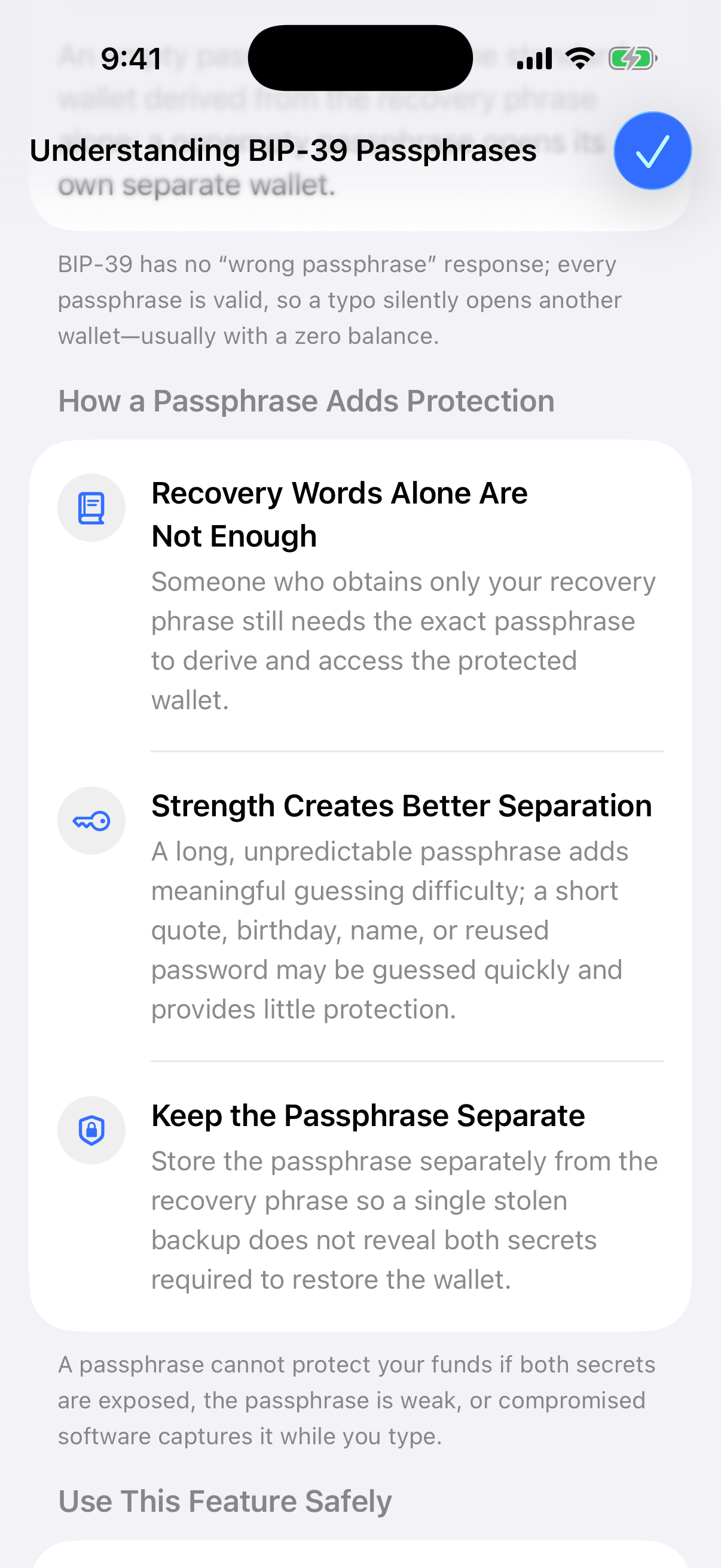
A real capture of Aperture’s in-app safety guidance: choose an unpredictable secret and keep its backup separate from the recovery phrase.
Make it unique. Use several randomly selected words or another high-entropy value created only for this wallet. Do not reuse an account password.
Record it exactly. Preserve every uppercase letter, lowercase letter, space, punctuation mark, and word in its exact position.
Back it up offline. Create a durable copy and store it separately from the recovery phrase so one stolen backup does not reveal both secrets.
Do not rely on memory. A memorable passphrase can still be forgotten, altered, or remembered with the wrong spacing years later.
Test before funding. In a private, controlled recovery test, confirm that both inputs reproduce the expected addresses before receiving a significant amount.
Adding a passphrase in Aperture
When creating a wallet, Aperture first generates the recovery phrase. On the recovery-phrase screen, open the options menu and choose Add BIP-39 Passphrase. Enter the secret twice, then confirm it. Both fields can remain empty if you want the standard wallet derived from the recovery phrase alone.
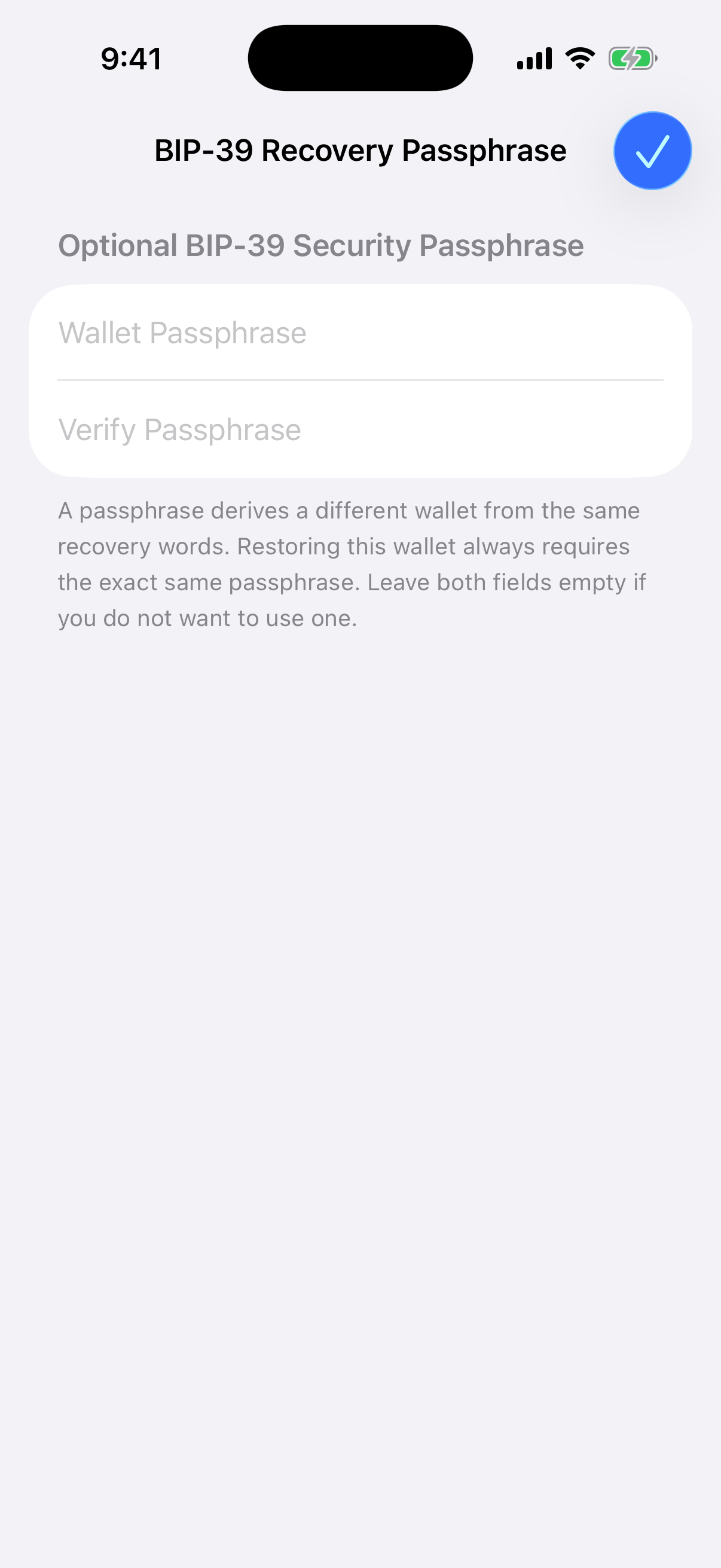
The production screen uses two secure fields and validates their normalized values before continuing. This capture contains no entered secret.
Start the normal Create New Wallet flow and securely record the generated recovery phrase.
Open the recovery screen’s options menu and choose Add BIP-39 Passphrase.
Enter the exact passphrase in both secure fields and confirm. Aperture derives the wallet again using both inputs.
Complete wallet creation, then back up the passphrase separately from the recovery phrase.
Before using the wallet for meaningful funds, verify that a controlled recovery reproduces the expected public addresses.
Restoring works the same way. Choose the recovery-phrase import flow, open its options menu, select Add BIP-39 Passphrase, and enter the exact original passphrase twice. Leave it blank only if the wallet was originally created without one.
What Aperture keeps on the device
Aperture normalizes the passphrase as required by BIP-39 before deriving the seed. When the wallet is saved, the complete recovery credential—the normalized recovery phrase and passphrase—is stored in Aperture’s device-only Keychain vault. The wallet database keeps an opaque Keychain reference rather than the secret itself.
The passphrase is not a substitute for the app passcode, Face ID, a safe backup, or a trusted device. It solves a different problem: it changes the seed required to derive the wallet. Good device security and careful offline recovery practices still matter.
The backup rule that matters
Recovery phrase + exact passphrase = passphrase wallet. Lose either one, and that wallet cannot be recovered. Expose both, and the passphrase adds no protection.
BIP-39 passphrases reward precision. They can create meaningful separation between a recovery phrase and the wallet that holds your assets, but there is no safety net for a weak, mistyped, or lost secret.
Use the feature deliberately: choose a strong passphrase, make two separate backups, verify the derived addresses, and treat the pair as the complete key to that wallet. Aperture gives you the controls and the explanation. Self-custody still depends on how carefully you use them.