

Crypto rarely arrives with just one useful frame of reference. A Bitcoin amount might need to make sense in your local currency, in US dollars, beside Ethereum, or even against gold. The arithmetic is simple. The context switching is not.
Aperture’s Currency Converter turns that scattered work into one calm, editable view. Choose the units that matter, type into any row, and every other value updates around it. No fixed “from” and “to” pair. No bouncing between calculators.
One amount becomes a shared point of reference across the currencies and assets you actually think in.
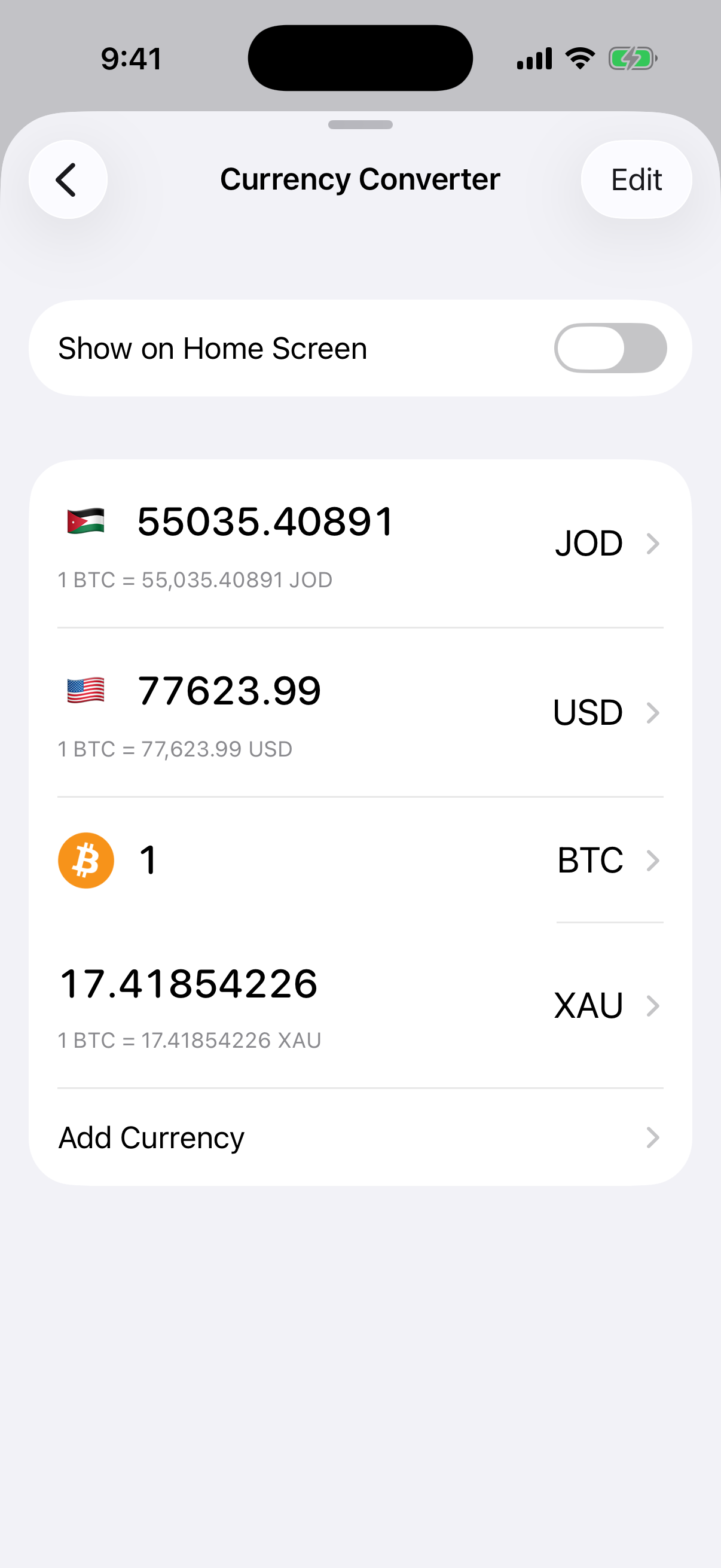
A real capture from the current Aperture app in Simulator. Values are point-in-time references and will change with market and exchange-rate updates.
A converter that behaves like a workspace
Most converters are built around a rigid pair: one source and one destination. Aperture keeps every selected unit visible at the same time. In the view above, 1 BTC is expressed simultaneously in Jordanian dinar, US dollars, and gold. Each converted row also shows its rate relative to the amount you last edited.
The important detail is that no row is permanently the source. Tap into USD and enter 100; JOD, BTC, and XAU recalculate. Edit the gold amount instead, and gold becomes the new reference. The interface follows the question you are asking now.
Build the comparison you need
Tap a unit code to replace it, or choose Add Currency to expand the view. Aperture’s searchable catalog brings supported fiat currencies, precious metals, and crypto assets into one picker. The selected set is yours: a compact two-row conversion for quick checks, or a broader comparison across several markets.
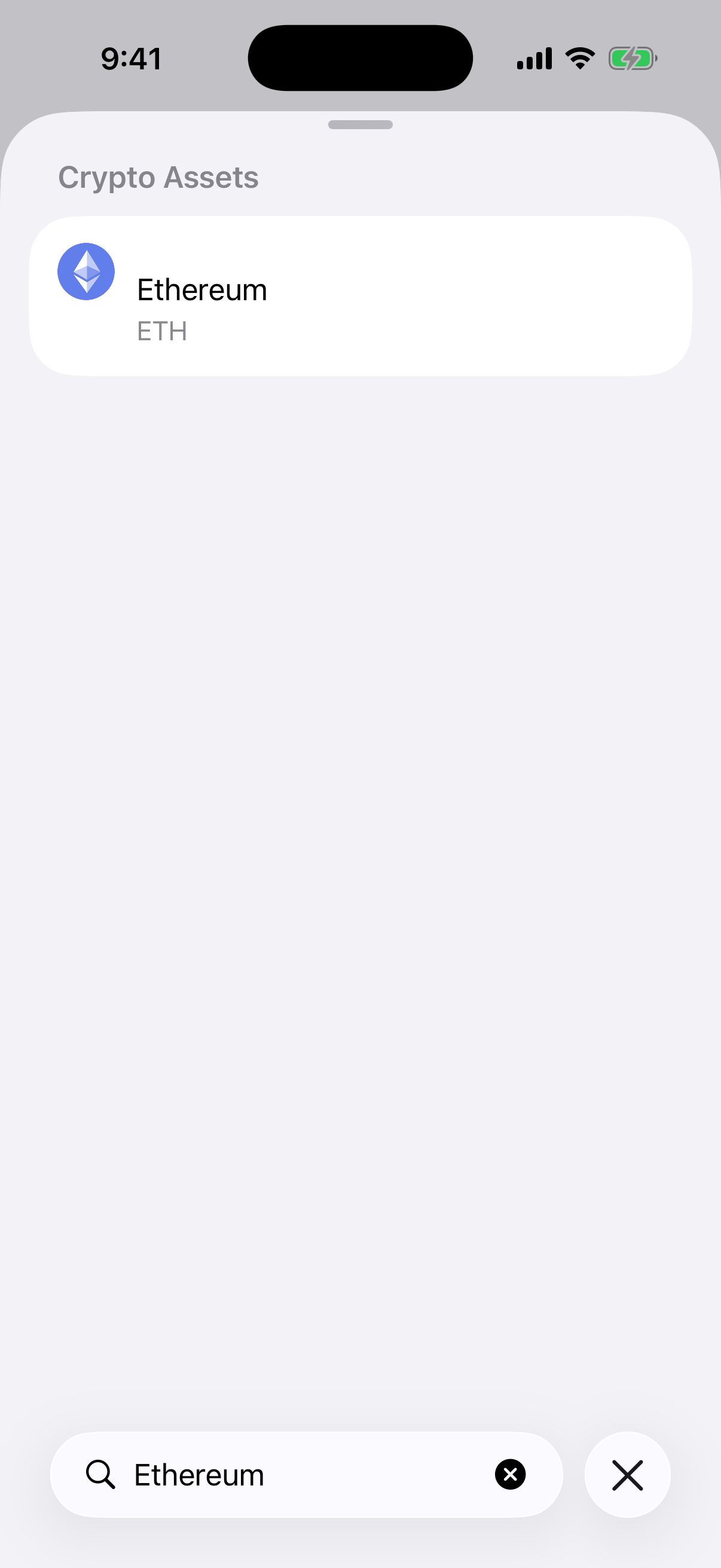
Search spans the same catalog: this real app capture narrows the available crypto assets to Ethereum.
Fiat currencies. Keep your local currency beside common reference currencies for travel, purchases, accounting, or everyday intuition.
Crypto assets. Compare core assets and supported wallet assets without leaving Aperture.
Precious metals. Add gold or silver when a hard-asset reference helps make a number more concrete.
Ask the question in either direction
A useful converter should work with the thought you already have, not force you to reverse it first. Aperture makes every amount field editable, which changes the kinds of questions you can answer quickly:
“What is this BTC amount worth in my selected local currency?”
“How much Bitcoin corresponds to a 500 USD budget?”
“What does one ounce of gold look like beside USD and BTC?”
“If I change the local-currency amount, how do all the other references move?”
The displayed precision adapts to the kind of unit. Fiat remains readable, while small crypto values can retain the additional decimal places needed to stay useful. Rate summaries stay attached to the rows, so the relationship is visible as well as the result.
Fast on open, current when available
When the converter opens, Aperture can use saved market data immediately while refreshing foreign-exchange, metal, and asset prices. If a fresh request is temporarily unavailable, usable cached data can keep the workspace from collapsing into an empty screen.
Your chosen rows and their order are saved, too. The next visit starts with the comparison you built instead of resetting to a generic pair. You can reorder or remove rows with Edit, while Aperture always keeps at least two usable units in the conversion.
Converter values are informational references, not executable quotes. Markets move, providers can update at different times, and an exchange or merchant may use a different rate.
Keep it one tap from Home
The full tool lives at Settings → Tools → Currency Converter. If you use it often, turn on Show on Home Screen. Aperture adds a converter shortcut beside the wallet controls, opening the same saved units in a focused sheet without making you leave Home.
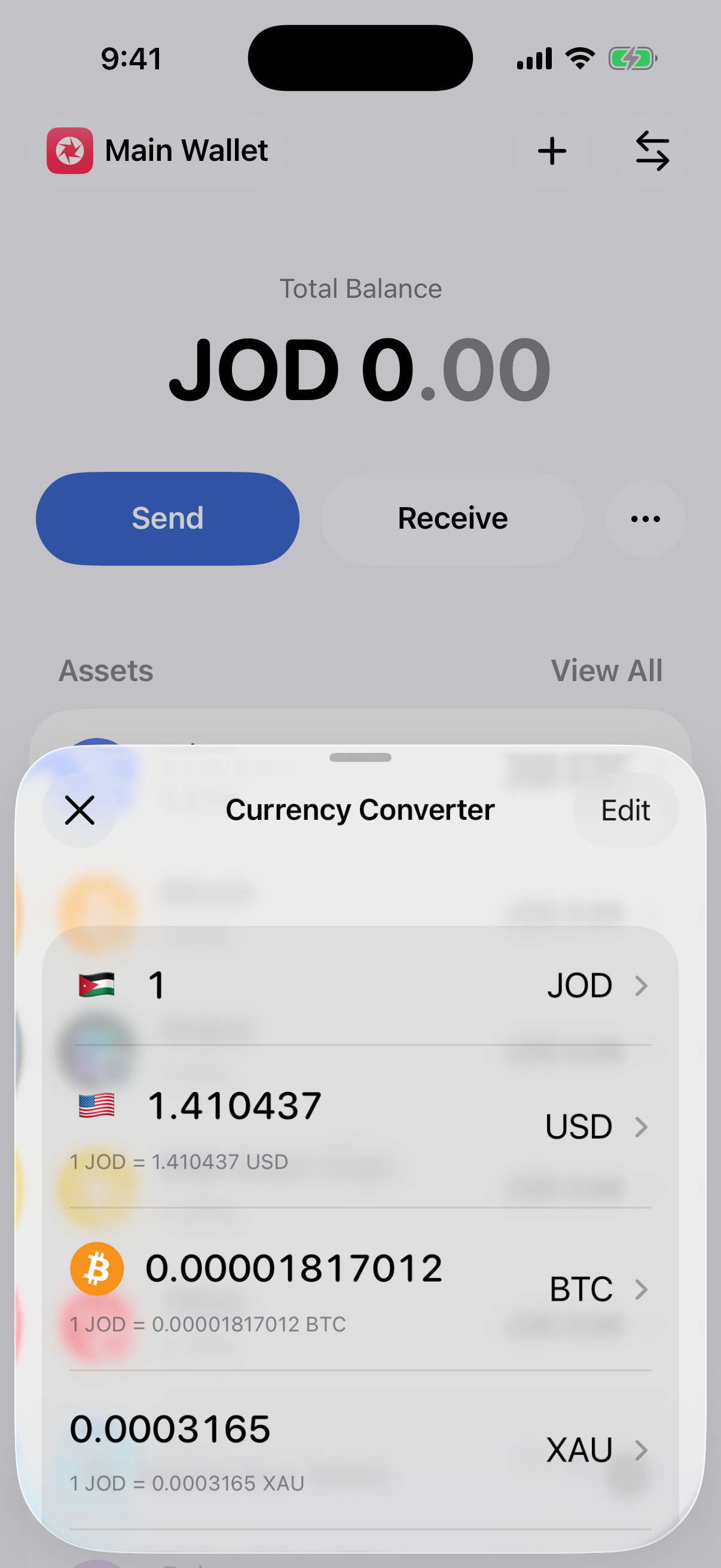
With the optional shortcut enabled, the saved converter opens directly over Home. This is a real capture from the current app build.
How to use it
Open Settings, choose Tools, then open Currency Converter.
Tap a currency or asset code to replace that row, or tap Add Currency to add another comparison.
Enter an amount in any row. That row becomes the reference and every other selected unit recalculates.
Use Edit to reorder the view or remove units you no longer need.
Enable Show on Home Screen if you want the converter available from the wallet’s top controls.
Numbers with context
A currency converter is a small tool, but it sits at the center of how people understand value. Aperture’s version is designed for the messy reality around crypto: several useful units, changing questions, tiny decimals, local currencies, and reference assets that do not fit into a single pair.
Choose the contexts that matter to you once. After that, one edited amount is enough to bring the whole picture into view.